Chapter 5 Replacing Field-Replaceable Units 5-3
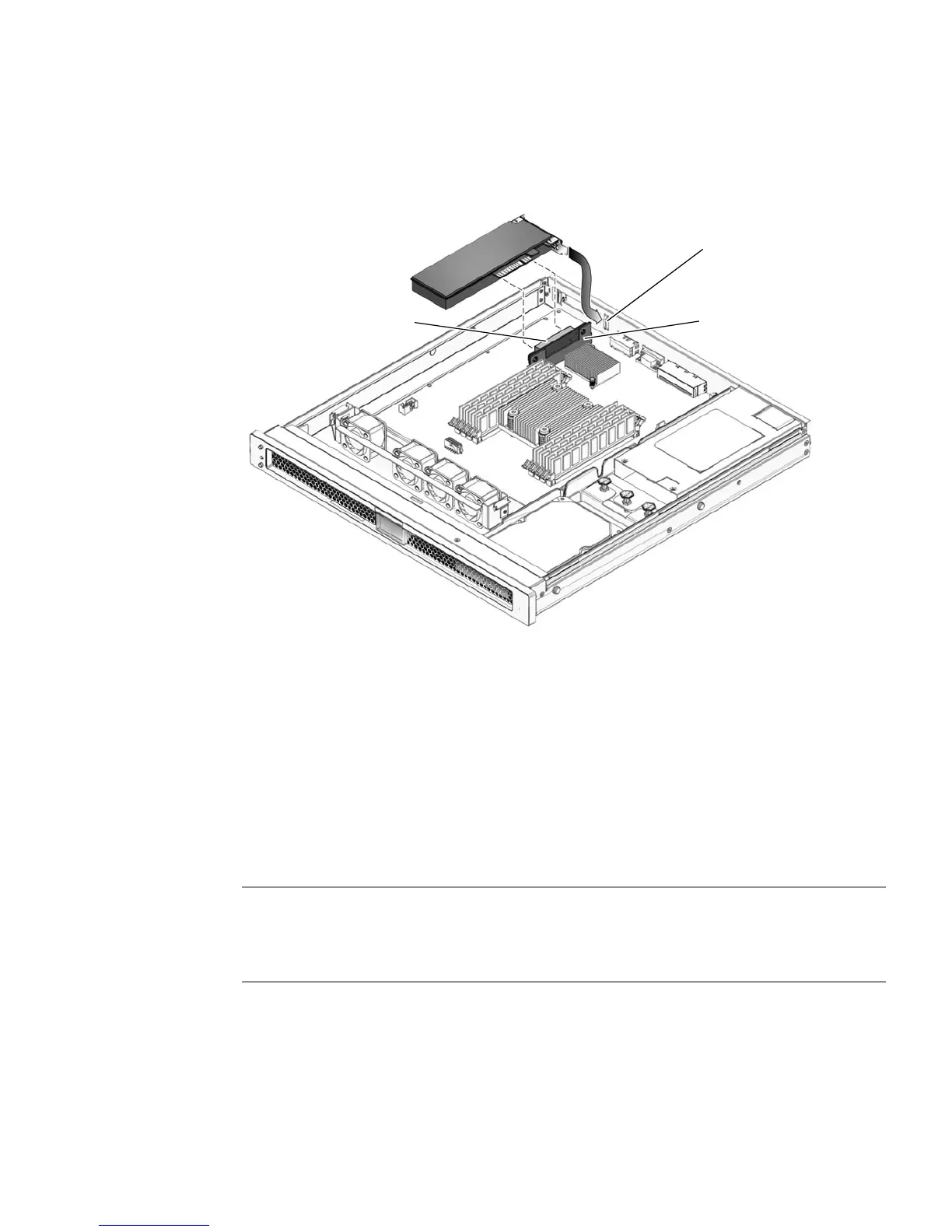
4. Carefully pull the PCI-Express card out of the connector on the PCI-Express card
riser board and the note slot (
FIGURE 5-2).
FIGURE 5-2 Removing and Installing the PCI-Express Card
5. Place the PCI-Express card on an antistatic mat.
5.1.2 Installing the Optional PCI-Express Card
Use this procedure to replace the PCI-Express cards.
1. Unpack the replacement PCI-Express card and place it on an antistatic mat.
Note – Only low-profile PCI-Express cards with low brackets fit into the chassis.
There are a variety of PCI-Express cards on the market. Read the product
documentation for your device for additional installation requirements and
instructions that are not covered here.
2. Insert the PCI-Express card into the connector on the PCI-Express riser board and
the note slot (
FIGURE 5-2).
Note slot
Connector
PCI-E riser board












 To Next Page