86 Sun Fire X4150, X4250 and X4450 Servers Windows Operating System Installation Guide • January 2009
▼ Determine Which Network Data Ports Are
Actively Connected to a Network
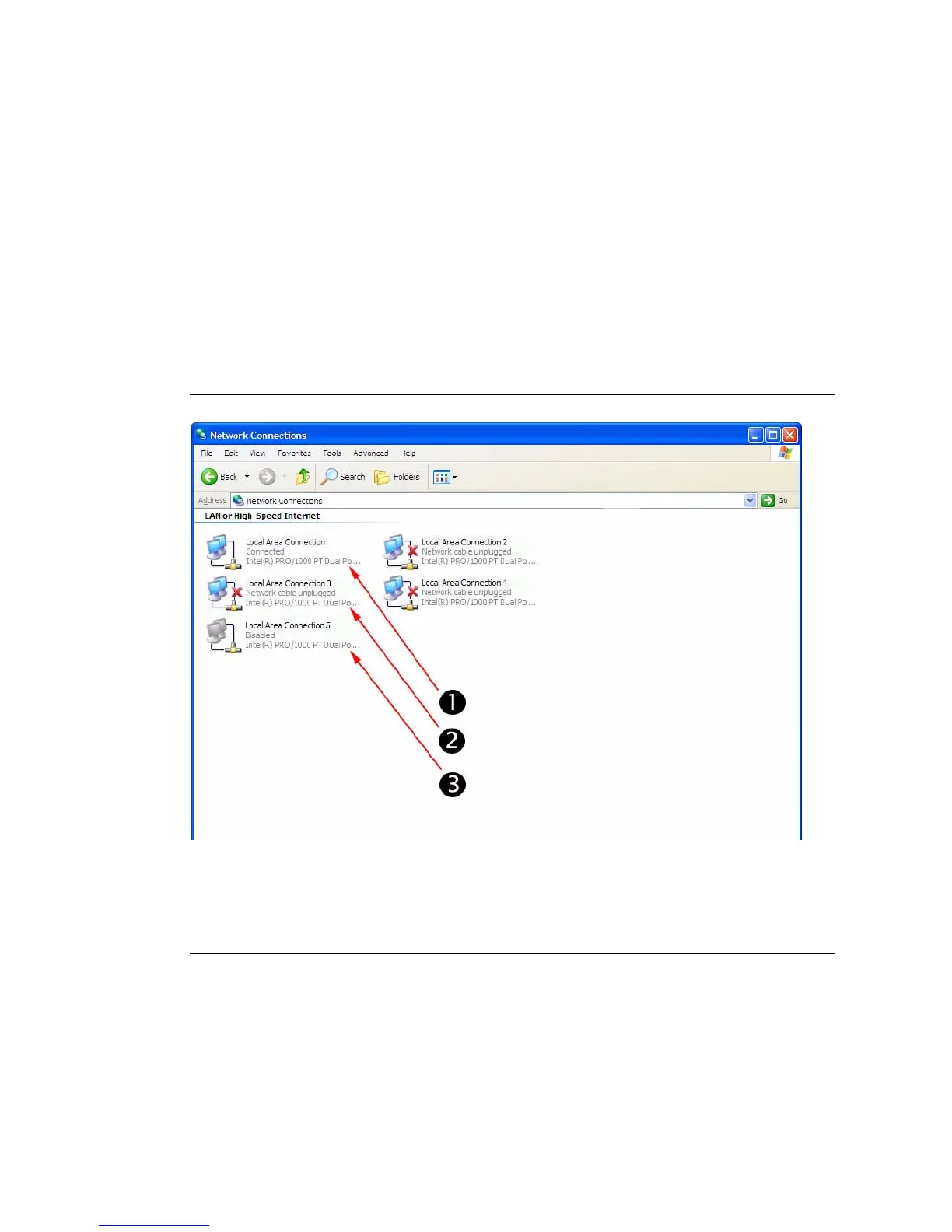
By using Microsoft’s Network Connections folder, you can visually determine
which network interface ports are actively connected to a network. To access the
Network Connections folder, follow this step:
● Click Start -> Settings -> Control Panel-> Network Connections.
The Network Connections folder appears identifying the actively connected data
ports.
Illustration Key
1. An active port connection.
2. A red X marks the port connections that are currently inactive.
3. The port has been manually disabled (right-click to re-enable).














 To Next Page