Chapter 8 Update the Critical Server-Specific Drivers 51
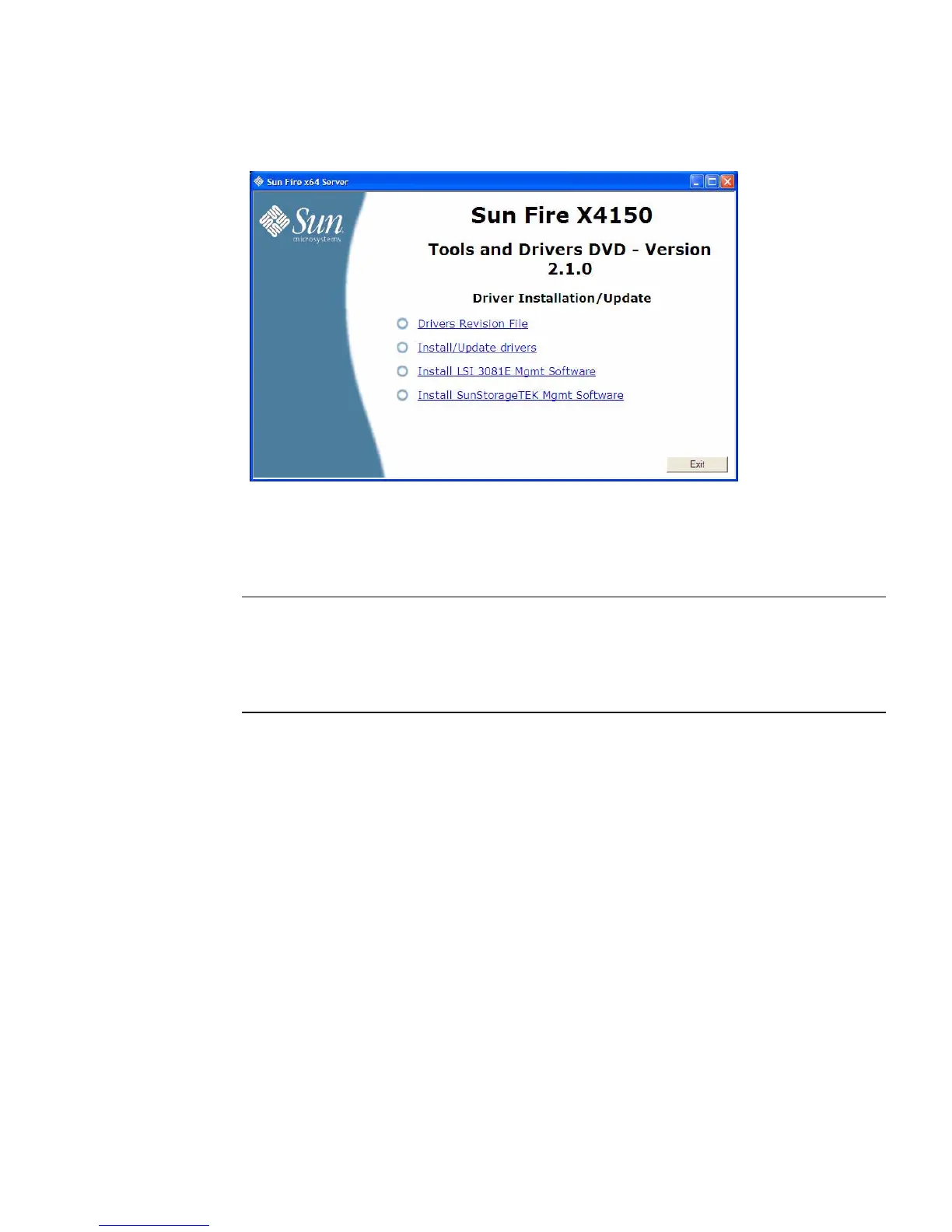
FIGURE 8-2 Sun Fire X4150 Driver Installation/Update Page Example
3. Click the Install/Update drivers option.
The Install/Update drivers wizard begins. Follow the on-screen instructions to
install the critical drivers for your server.
Note – To utilize the additional features of the Intel PROSet network interface
software, such as NIC teaming, fault tolerance, load balancing, etc., refer to the
section “Additional Information for Supplemental Software” on page 56 after you
have completed updating the critical server drivers and installing supplemental
software.
4. When done, proceed to “Installing Supplemental Software” on page 54.
▼ To Update Server-Specific Drivers Manually
If your server has an on-board DVD drive, you can manually install the drivers
directly on the server using the Sun Fire Server Tools and Drivers CD/DVD.
1. Insert the Sun Fire Server Tools and Drivers CD/DVD into the CD/DVD drive.
If the CD autostarts, click the close icon at the main menu.
2. Using Windows explorer, navigate to the chipset drivers:
cdromdrive:\drivers\windows\chipset
Where cdromdrive is the drive letter of the CD/DVD drive containing the Tools
and Drivers CD/DVD.














 To Next Page