Page 44
880 SERIES
4. Click Warranty Registration
5. Enter your serial number.
6. Click Next to continue to complete your registration.
7. Once registered you will be given a passcode that will need to be
entered into the control panel.
Keep a record of your serial number and passcode for any future
reference. Write that information below.
Serial Number:
Passcode:
Once you register your spa online, you can
then enter the registration information into the
control panel.
Note: If a number is entered wrong you can
tap to move backwards.
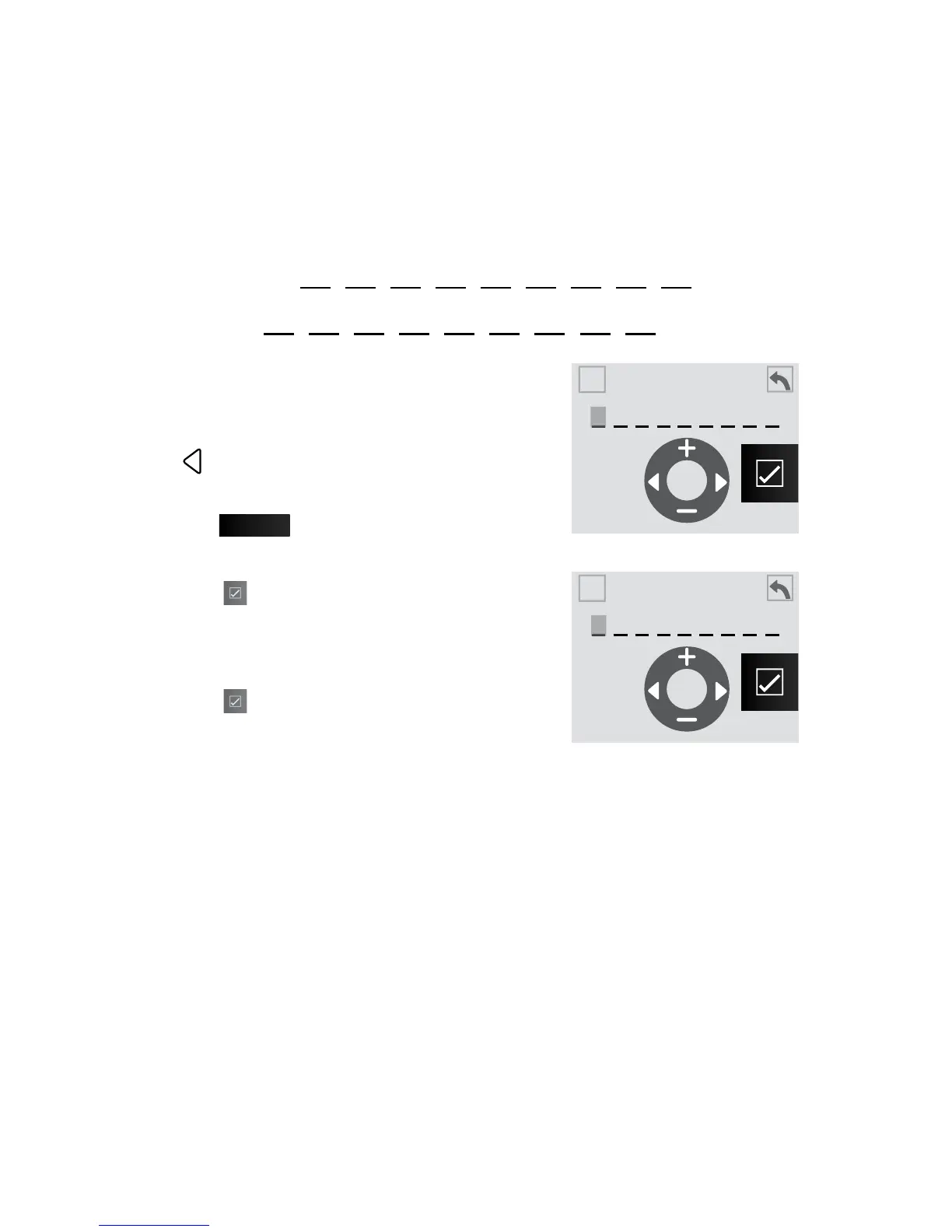
1. From the registration screen, Figure 10.2a,
tap
Enter #
to enter the spa serial number.
2. Input the 9-digit serial number, Figure
10.2c.
3. Tap to enter and save the information.
Then proceed to enter the passcode.
4. Now input the 9-digit passcode, Figure
10.2d, that was provided online when you
registered your spa.
5. Tap to enter and save the information.
Figure 10.2c
Figure 10.2d
Enter Spa Serial #
A
A
Enter Passcode
A
A



 To Next Page