Page 45
880 SERIES
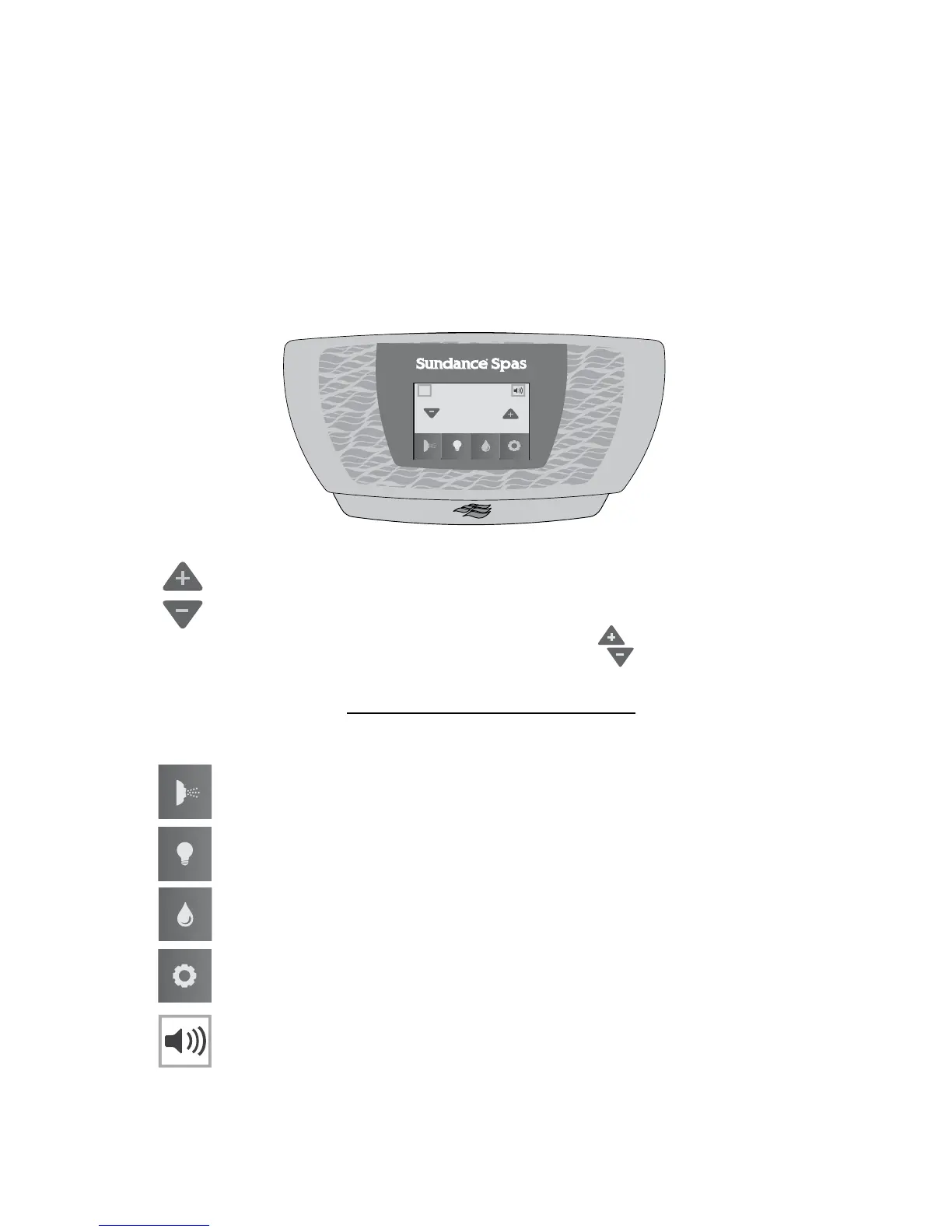
10.3 Home Menu
The new SunTouch™ system makes operating your spa a breeze. The
Home Menu, Figure 10.3a, provides access to spa functions and pro-
gramming. You can navigate through the menus and sub-menus with
ease. Simply touch the icons on the LCD display to begin operating your
new Sundance spa. Operation is made easy by the interactive control
panel.
Note: If there is no activity for 5 minutes, the LCD display, will time-out
into a sleep mode. To reactivate the display, just tap the display screen.
A. Home Menu Control Buttons
= Temperature Control: Allows you to adjust the set
temperature of the spa:
• Increase the temperature by tapping
in 1° increments.
• Decrease the temperature by tapping in 1° increments.
Note: The temperature range for the spa is 65 to 104°F (18.33 to
40°C). To activate the Extended Temperature feature that allows the
spa to reach 106°F (41°C), see page 81.
= Jet Button: Tap to access the menu to operate the jets
pumps, page 42.
= Light Button: Tap to access the menu to operate the lighting
options, page 47.
= CLEARRAY Button: Tap to activate the CLEARRAY on
demand feature, page 52.
= Settings Button: Tap to access the programming and setting
menus, page 54.
= Music Button: Tap to access the menu to operate the audio
system and settings, page 49.
Note: If the spa does not have the stereo option, there will not be a but-
ton on the control panel.
102
°
12:42PM
A
A
Figure 10.3a



 To Next Page