Page 57
880 SERIES
Summer Logic: In warm weather, the water temperature in the spa
may exceed the set temperature. This condition may occur due to
heat transference from the lter/circulation pump and jets pumps.
If the water temperature is higher than 95°F (35°C) and rises two
degrees above the set temperature, a “Summer Logic” condition
occurs that deactivates the lter/circulation pump and CLEARRAY®.
This safety feature cannot be altered! The lter/circulation pump and
CLEARRAY® will remain off until the water temperature cools to the
set temperature (except between 9am-11am when the lter/circulation
pump runs for it’s mandatory 2 hour cycle.) To help prevent a “Summer
Logic” condition, it may be necessary to reduce lter/circulation pump
cycles run times in warm weather.
12.3 Programming the Secondary Filter
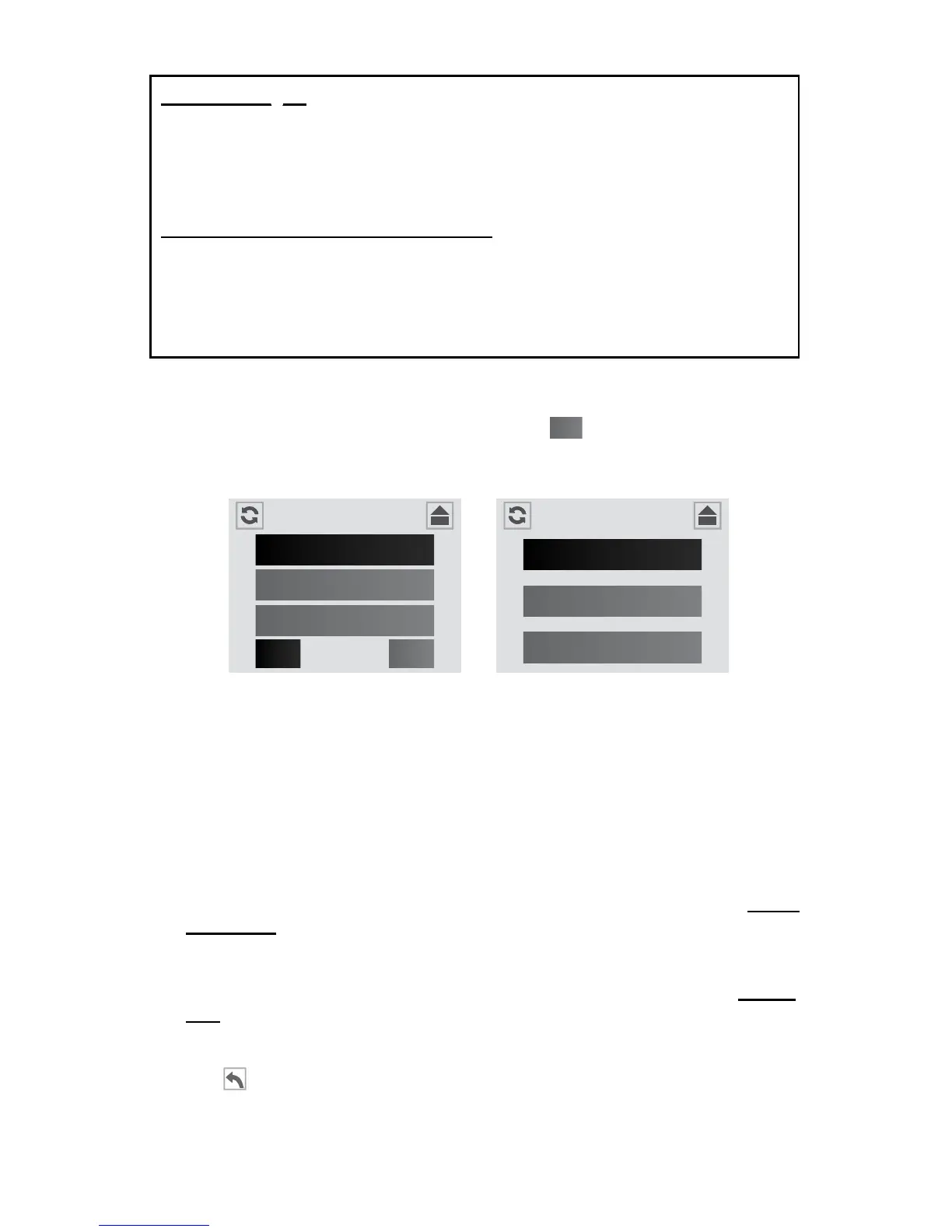
To access the “Secondary Filter” feature, tap
2
from the Heat and Filter
Menu, Figure 12.3a, to enter the “Secondary Filter” programming, Figure
12.3b.
During a secondary ltration, the Jets Pump 1 is activated. There are
3 cycles you can select from, Figure 12.3b. The factory default cycle
is “Away Mode.” If you elect to keep this setting, then you can skip this
section.
A. To change the Secondary Filter cycle:
1. Away Mode: Secondary Filtration is disabled. To activate this mode,
tap the “Away” tab. This is the factory default setting.
2. Infrequent Mode: Activates two cycles at 8:00 PM and 8:00 AM every
other day. Each cycle will last 10 minutes for a total of 20 minutes
every other day. To activate this mode, tap the “Infrequent” tab. Time
and duration cannot be altered.
3. Frequent Mode: Activates two cycles at 8:00 PM and 8:00 AM every
day. Each cycle will last 10 minutes for a total of 20 minutes every
day. To activate this mode, tap the “Frequent” tab. Time and duration
cannot be altered.
4. Tap
to return to the Heat and Filter Menu. Tap again to return to
the Settings Menu.
Heat and Filter
Auto
Economy
Day
1
2Filter
Secondary Filter
Infrequent
Frequent
Away
Figure 12.3b
Figure 12.3a



 To Next Page