Page 55
880 SERIES
12.1 Programming the Heating Mode
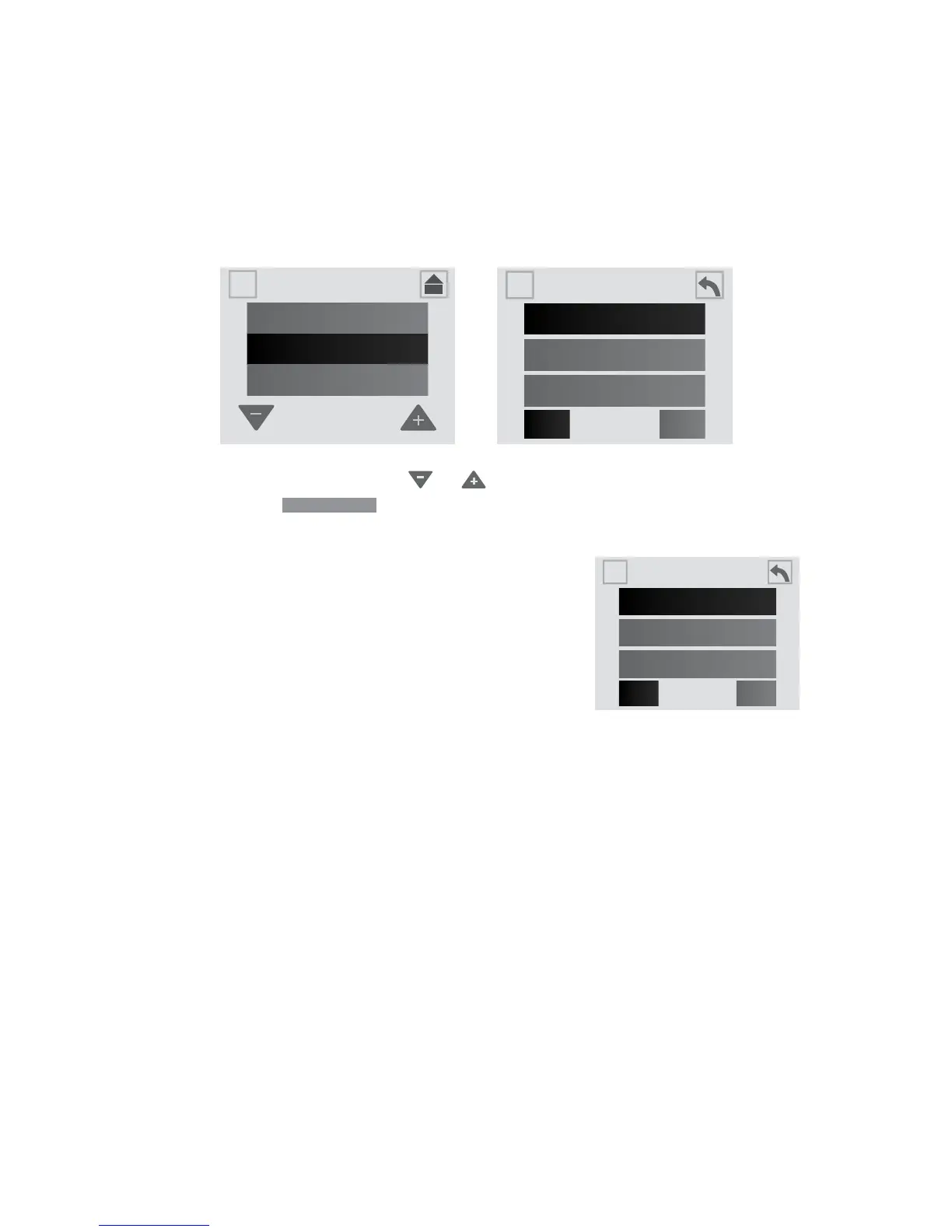
Your Sundance spa is equipped with 3 modes of heating, Figure
12.1a. An automatic mode called “Auto” where the spa’s temperature
is maintained at all times. An energy saving heating cycle called
“Economy.” A mode that will only activate the heater during the daytime
called “Day” mode.
Note: The heater will activate when the temperature drops 2° from the
set temperature.
Heat & Filter
Auto
Economy
Day
1
2Filter
A
A
SETTINGS
Water Care
Heat & Filter
A
A
Information
From the Settings Menu, tap or to highlight the “Heat & Filter”
menu tab. Tap
Heat & Filter
to the enter the menu. Then select one of the
heating settings.
A. Auto heating:
1. When programmed to “Auto,” the spa will
maintain the water temperature to the
set temperature. Heating will occur when
necessary.
2. To select this mode, tap the “Auto” tab.
B. Economy heating:
1. This is an energy saving heating program that allows
the spa to heat during non-peak hours. When programmed to
“Economy,” the spa will only be allowed to heat the water between
5:00 PM to 7:00 AM every day of the week. The hours cannot be
adjusted.
2. To select this mode, tap the “Economy” tab.
C. Day heating:
1. When programmed to “Day,” the spa will only be allowed to heat the
water between 7:00 AM to 5:00 PM every day of the week. The hours
cannot be adjusted.
2. To select this mode, tap the “Day” tab.
Heat & Filter
Auto
Economy
Day
1
2Filter
A
A
Figure 12.1a



 To Next Page