Page 52
880 SERIES
11.6 CLEARRAY on Demand
The CLEARRAY on demand feature activates the water purication
system for a period of 1-hour. Tap to turn the system on. During this
time the circulation pump and the CLEARRAY unit are on.
Note: When the CLEARRAY system is on due to a programmed or
scheduled setting the feature cannot be turned off.
11.7 Selecting The Desired Massage Action
Your Sundance
®
Spas hot tub is equipped to allow you
to customize the massage action you desire. Each model
incorporates a massage selector(s) that allows you to customize the
massage and performance by diverting water between various jet
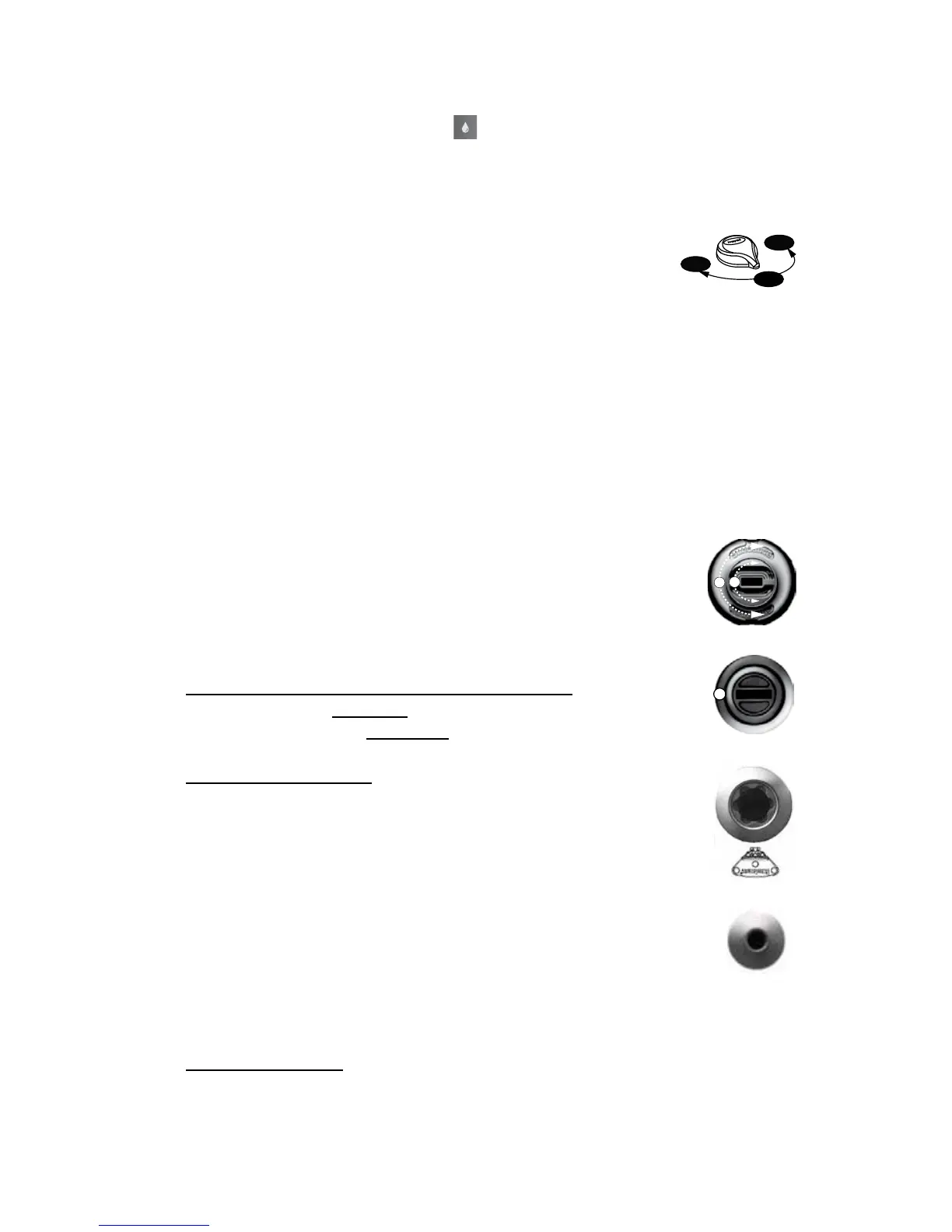
systems. Simply turn massage selector to position A (Combo), B, or C to
divert water pressure to various jet groups.
Note: This valve is designed to operate in positions A (Combo), B, and
C for optimum performance. It is considered normal for sound levels
within the valve to vary between positions due to the large amounts of
water owing through it. For optimum ltration benets, leave the valve
in position A when hot tub is covered. Select position B or C for maxi-
mum jet performance during hot tub use.
11.8 Adjusting Fluidix Reflex, Nex, ST, Intelli-Jets And
Focus-Relief
The jets in your new hot tub offer the advantage of no
moving parts and zero maintenance. They can also be adjust-
ed for a high and low impact massage, providing the
ultimate massage! To adjust jets:
1. Fluidix Nex/Intelli-Jets and Reex Jets only: Turn outer dial
(A) clockwise to increase water volume. Turn outer dial
counterclockwise to decrease water volume or to shut jet
off.
2. Fluidix Intelli-Jet only: Rotate center “mode disk” (B)
clockwise to select a non-oscillating water stream or turn
counterclockwise to select an oscillating stream at any
angle.
3. For a high impact massage, turn corresponding air control
knob clockwise. For the Fluidix ST jet, this will create
a straight water ow. For low impact massage, turn
corresponding air control knob counterclockwise. For the
Fluidix ST jet, this will create an oscillating ow. Refer
to Sections 9.1-9.19 (pages 22-40) for specic
operation details. The included tool (shown) allows you to
position the jet nozzle angle to your liking. This tool can also be used
to aid in the opening or closing of the nozzle on Fluidix Reex jets.
4. Focus-Relief Jets: Work with both the blower and jets pump. The
blower introduces air to the jet and the jets pump forces water through.
Note: Always keep at least 6 adjustable jets open at all times on each
jet system.



 To Next Page