Page 62
880 SERIES
12.8 Locking the Spa
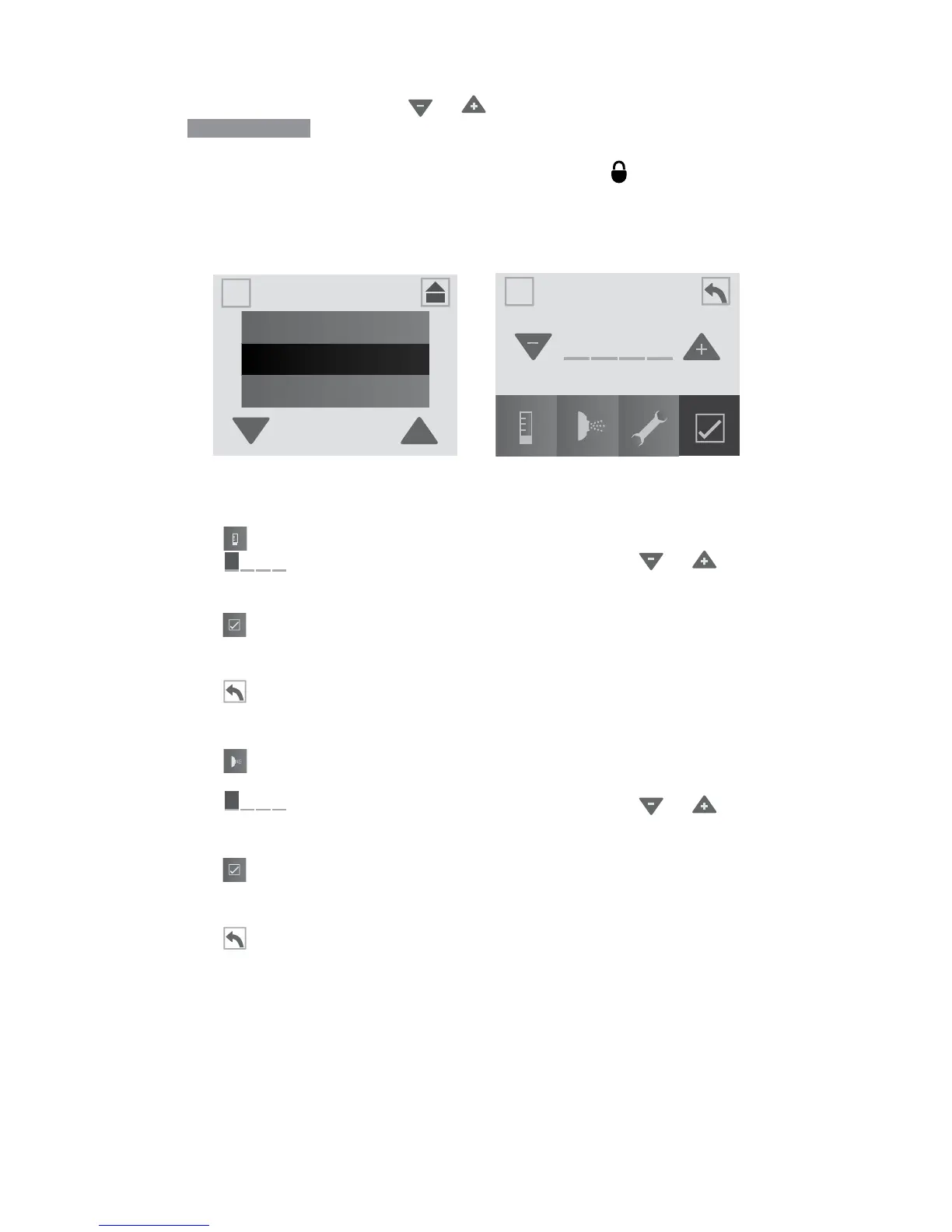
From the Settings Menu, tap or to highlight the “Lock” menu tab.
Tap
Lock
(Figure 12.8a) to enter the programming options,
Figure 12.8b. You can prevent users from changing certain features of
the spa. When a lock feature is active, the lock icon will appear on the
Main Menu.
Note: A default passcode can be used in case the original passcode is
lost or forgotten. The code “0772” will unlock the locked setting.
A. Temp Lock (Figure 12.8b):
1. Tap
to lock the temperature feature.
2. Tap (the rst block) to select a number. Use or to select
a number from 0-9. Then move on to the next number until a four-digit
code has been selected.
3. Tap to activate the locking feature.
4. The adjust temperature feature is disabled, but the spa will still
perform all scheduled tasks.
5. Tap to return to the “Settings” Menu.
B. Spa Lock (Figure 12.8b):
1. Tap to lock the spa. When this feature is activated both the spa
and temperature lock are highlighted.
2. Tap (the rst block) to select a number. Use or to select
a number from 0-9. Then move on to the next number until a four-digit
code has been selected.
3. Tap to activate the locking feature.
4. All activation and adjustment features are disabled but the spa will
still perform all scheduled tasks.
5. Tap to return to the “Settings” Menu.
Lock
SETTINGS
Lock
Time & Date
Wi-Fi
A
A
A
A
Figure 12.8a
Figure 12.8b



 To Next Page