Page 54
880 SERIES
12.0 Programming and Operation Instructions
Your Sundance spa is equipped with setting menus that allow you to pro-
gram and activate different components of the spa. With our SunTouch™
control panel, programming your spa has never been easier. In the sec-
tions that follow, we will guide you through the process of programming
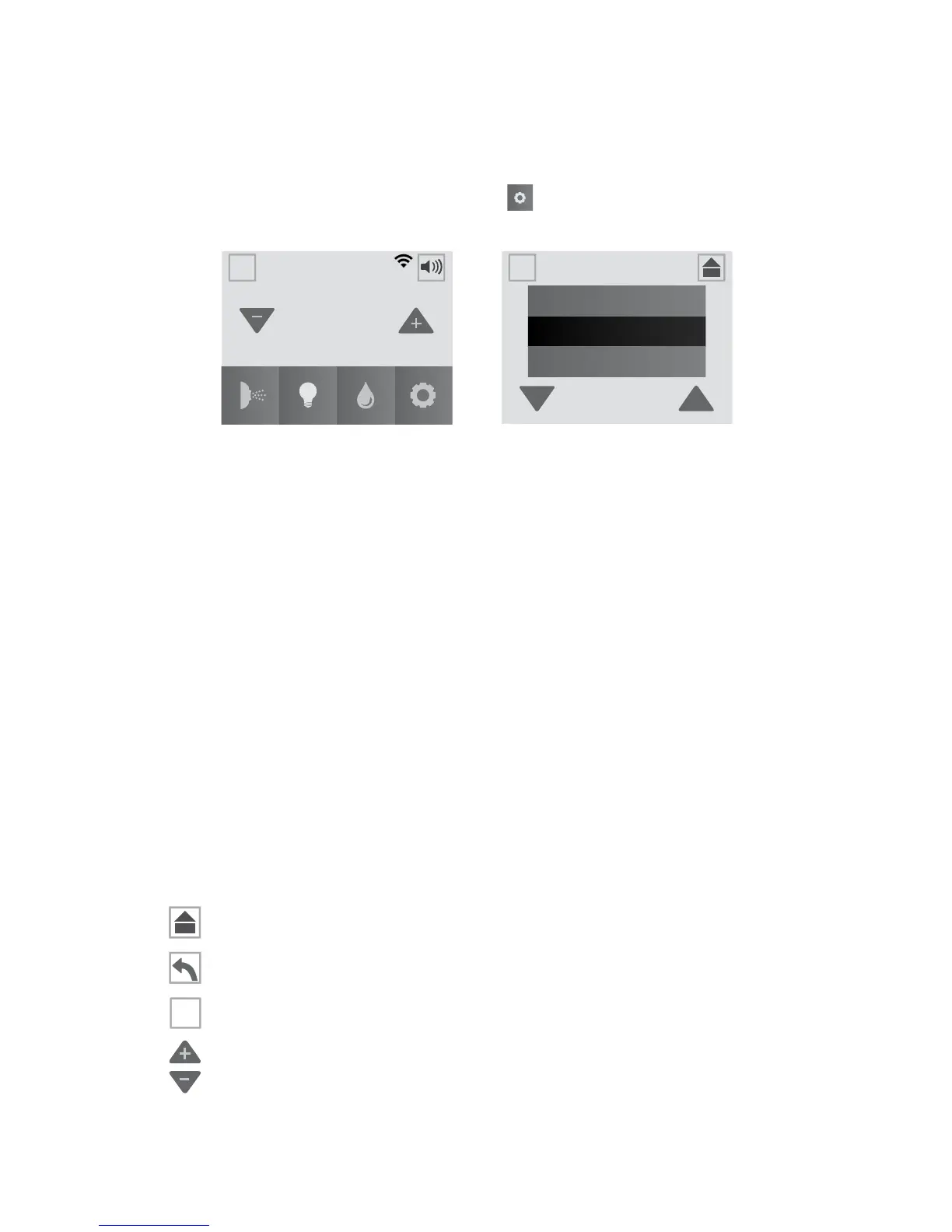
the spa to t your personal comfort. Tap to enter the Settings Menu,
Figure 12.0a and 12.0b.
102
°
SETTINGS
Water Care
Wi-Fi
Heat & Filter
A
A
A
A
12:42PM
= Heat and Filter: Provides access to the heating and
ltration programming, page 55.
= Water Care: Provides access to the water care
programming, page 58.
= Wi-Fi: Provides access to the Wi-Fi settings, page 61.
= Lock: Provides access to activate the locking features,
page 62.
= Time and Date: Provides access to the time and date
programming, page 63.
= Language: Provides access to the language
programming, page 64.
= Units: Allows access to the temperature display
feature, either in Fahrenheit or Celsius, page 64.
Default setting is Fahrenheit.
= Home Button: Tap to go back to the Home Menu.
= Back Button: Tap to go back to the previous Menu.
= Invert Button: Tap to invert the display image.
= Scroll Buttons: Scroll up and down to view the selections
available.
Figure 12.0b
Figure 12.0a
A
A



 To Next Page