Page 49
880 SERIES
11.3 Music Menu
Models equipped with the optional Audio System offer an enhanced spa
experience. The BLUEWAVE® 2.0 Wireless Audio System works with
most Bluetooth® wireless devices. An auxiliary device can be connected,
via a 3.5 mm plug cable, located behind the front cabinet panel, if a
Bluetooth device is not available. These models also include four high
delity spa engineered speakers for unsurpassed sound quality and long-
life, and an integrated powered subwoofer for a superb acoustical sound.
Note: If the spa does not have the stereo option, there will not be a but-
ton on the control panel.
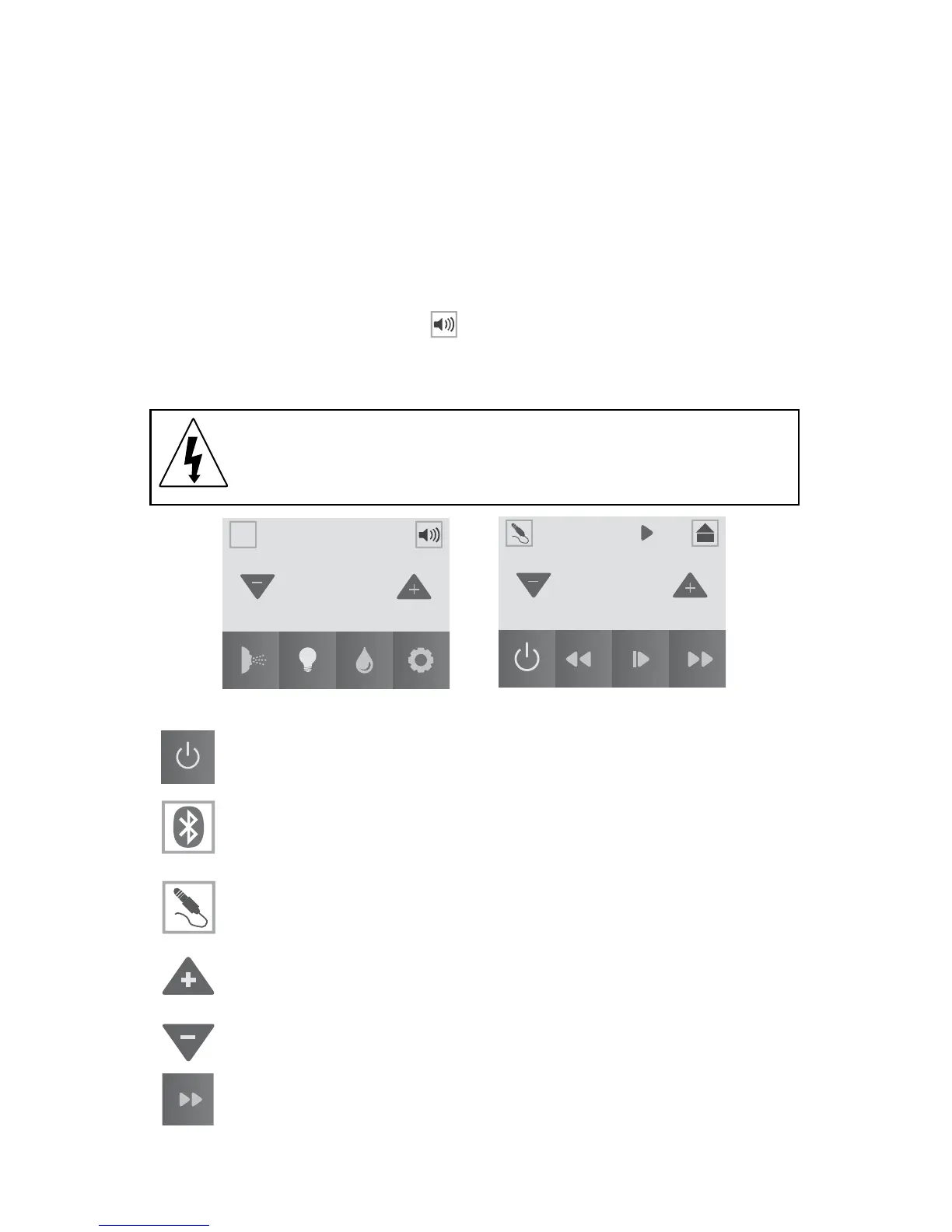
To access the Music Menu, tap , Figure 11.3a. The display will change
to Figure 11.3b. Once you enter the Music Menu, tap the power button to
turn the stereo on. Your connected electronic device, Bluetooth or auxil-
iary, provides the audio entertainment.
WARNING: RISK OF ELECTRICAL SHOCK HAZARD
EXISTS AND EQUIPMENT DAMAGE! Never install or
remove electrical devices while hands are wet or while sitting
partially immersed or fully immersed in spa!
= Power Button: Tap to turn the stereo on and off.
= Bluetooth Settings: Tap to use a Bluetooth device with the
stereo.
= Auxiliary Settings: Tap to use an Auxiliary device with the
stereo.
= Volume Up: Tap to increase the volume. The range is from 0
to 30 in increments of 1.
= Volume Down: Tap to decrease the volume. The range is
from 30 to 0 in increments of 1.
= Forward: Tap to advance forward through tracks.
MUSIC
Volume
7
Track Name
102
°
A
A
12:42PM
Figure 11.3a Figure 11.3b



 To Next Page