SunFounder PiCar-X Kit
manually install OpenSSH following Install OpenSSH via Powershell, or use a third-party tool as
described in PuTTY .
4. A security message will appear on your first login. Enter yes to proceed.
The authenticity of host 'raspberrypi.local␣
˓→(2400:2410:2101:5800:635b:f0b6:2662:8cba)' can't be established.
ED25519 key fingerprint is SHA256:oo7x3ZSgAo032wD1tE8eW0fFM/
˓→kmewIvRwkBys6XRwg.
Are you sure you want to continue connecting (yes/no/[fingerprint])?
5. Enter the password you previously set. Note that the password characters won’t be displayed on the screen, which
is a standard security feature.
Note: The absence of visible characters when typing the password is normal. Ensure you input the
correct password.
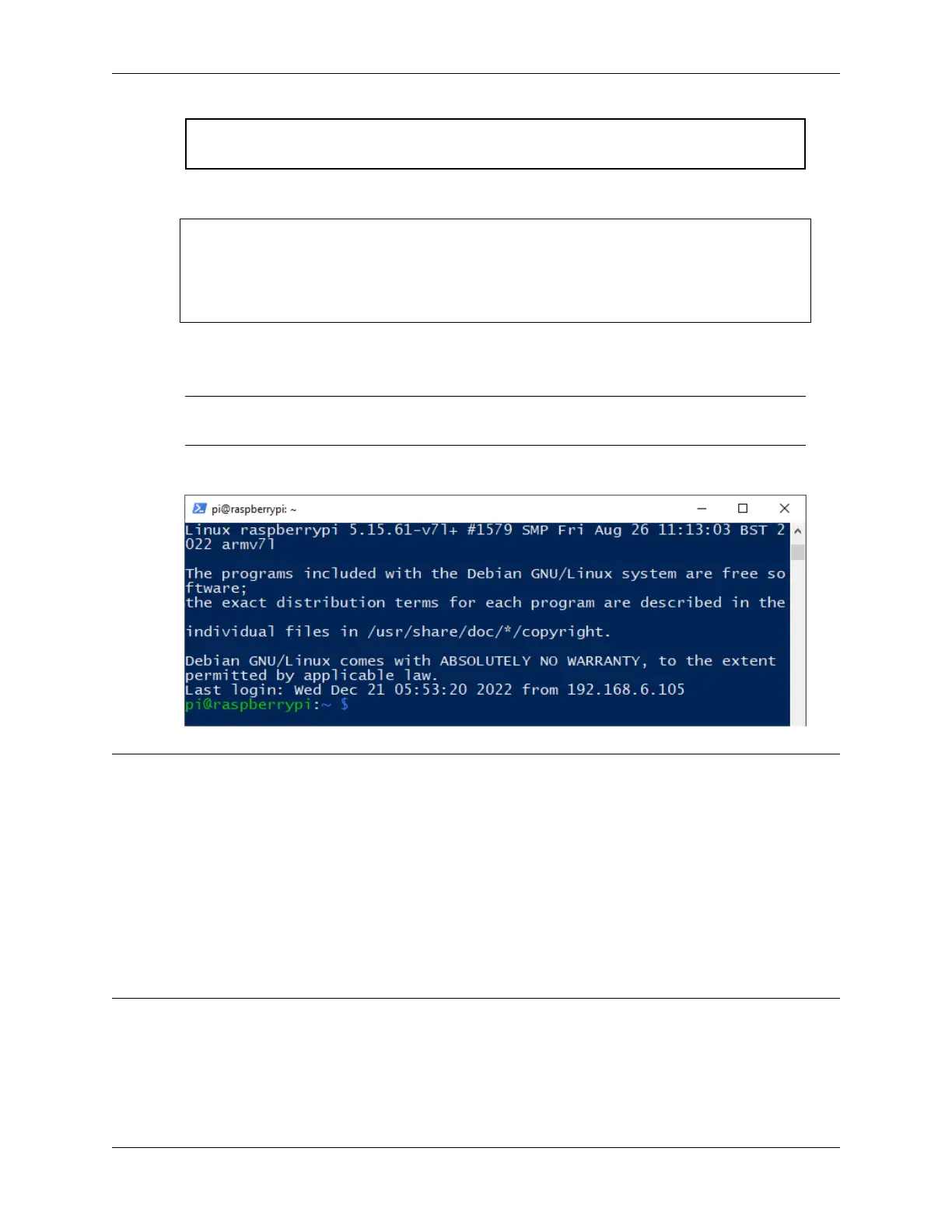
6. Once connected, your Raspberry Pi is ready for remote operations.
Note: Hello, welcome to the SunFounder Raspberry Pi & Arduino & ESP32 Enthusiasts Community on Facebook!
Dive deeper into Raspberry Pi, Arduino, and ESP32 with fellow enthusiasts.
Why Join?
• Expert Support: Solve post-sale issues and technical challenges with help from our community and team.
• Learn & Share: Exchange tips and tutorials to enhance your skills.
• Exclusive Previews: Get early access to new product announcements and sneak peeks.
• Special Discounts: Enjoy exclusive discounts on our newest products.
• Festive Promotions and Giveaways: Take part in giveaways and holiday promotions.
Ready to explore and create with us? Click [] and join today!
30 Chapter 4. Play with Python



 To Next Page