SunFounder PiCrawler Kit
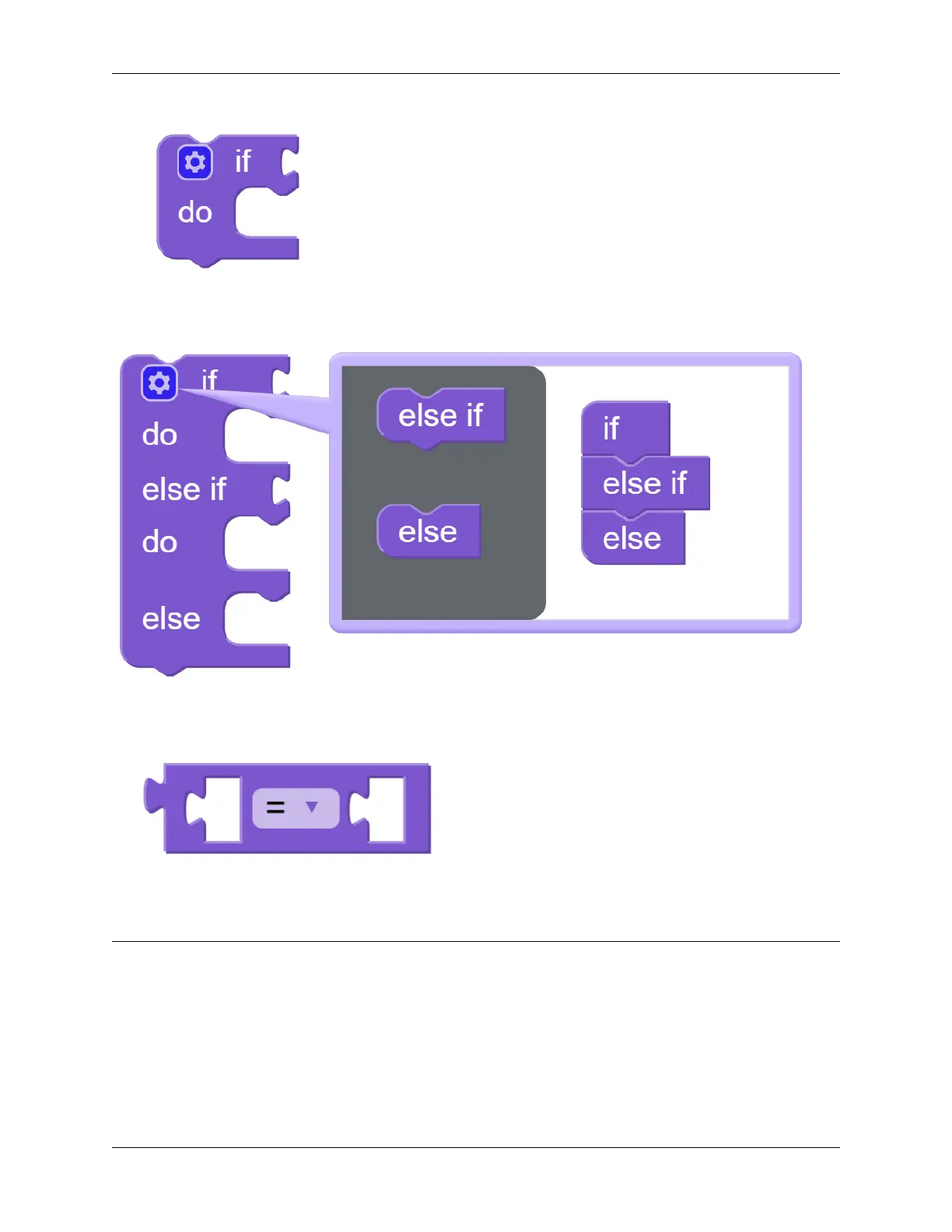
We used an if block (you can find it in the Logic category on the left) to make the PiCrawler move forward once when
the UP button of the D-pad is pressed.
You can click the gear icon on the upper left of the block to modify the shape of the if block to realize multiple judgment
branches.
if block is usually used with = block, = block can be modified to >, < and other conditions through the drop-down
menu, please use it flexibly.
Note: Hello, welcome to the SunFounder Raspberry Pi & Arduino & ESP32 Enthusiasts Community on Facebook!
Dive deeper into Raspberry Pi, Arduino, and ESP32 with fellow enthusiasts.
Why Join?
• Expert Support: Solve post-sale issues and technical challenges with help from our community and team.
• Learn & Share: Exchange tips and tutorials to enhance your skills.
• Exclusive Previews: Get early access to new product announcements and sneak peeks.
• Special Discounts: Enjoy exclusive discounts on our newest products.
98 Chapter 4. Play with Ezblock



 To Next Page