SunFounder PiCrawler Kit
cd ~/picrawler/examples/calibration
sudo python3 calibration.py
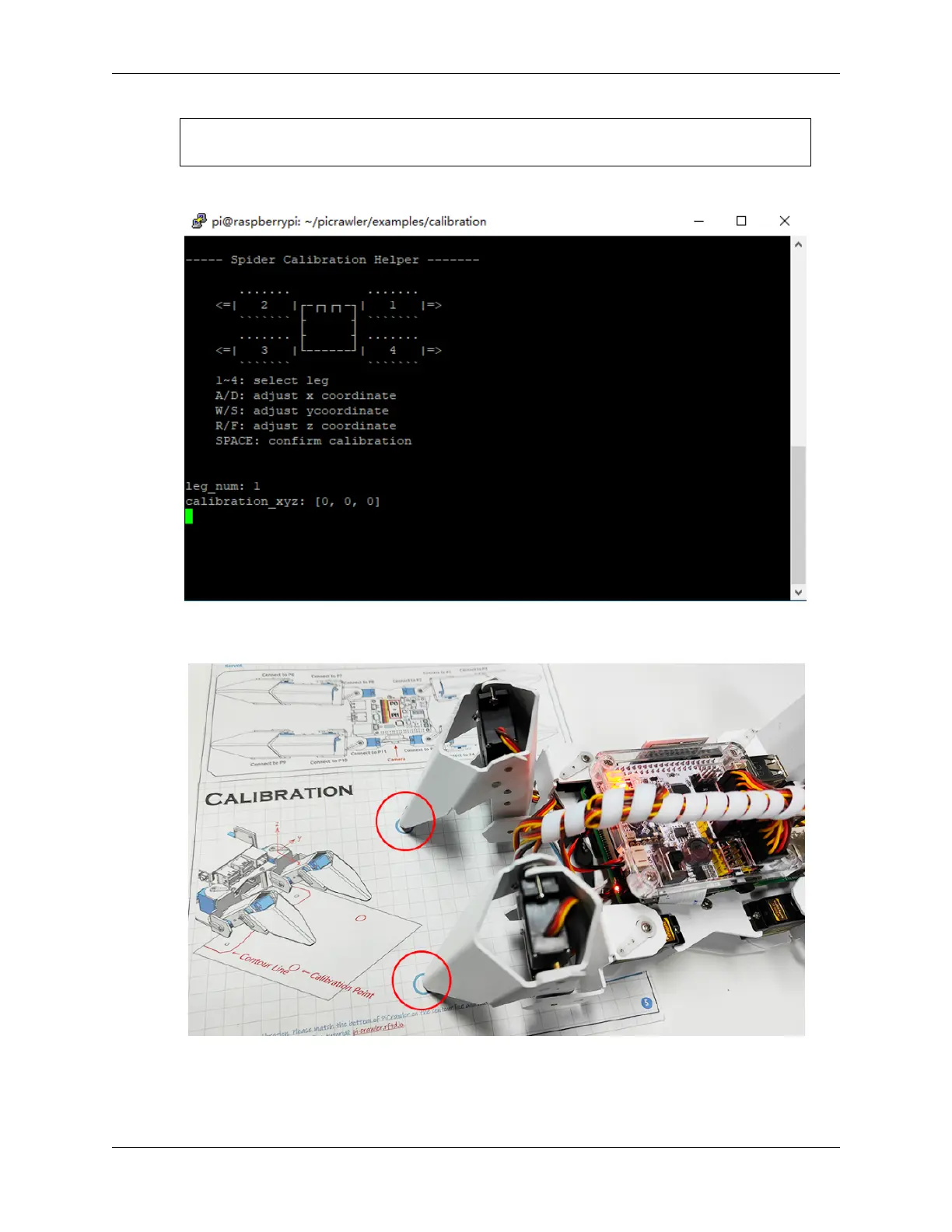
After running the above code, you will see the following interface displayed in the terminal.
3. Press 2 and 3 keys respectively to choose left 2 legsthen press w, a, s, d, r, and f keys to move them to the
calibration point.
4. Now, change the calibration paper to the right and press the 1 and 4 keys to choose right 2 legs, then press w, a,
s, d, r, and f keys to move them to the calibration point.
38 Chapter 3. Play with Python



 To Next Page