SunFounder PiCrawler Kit
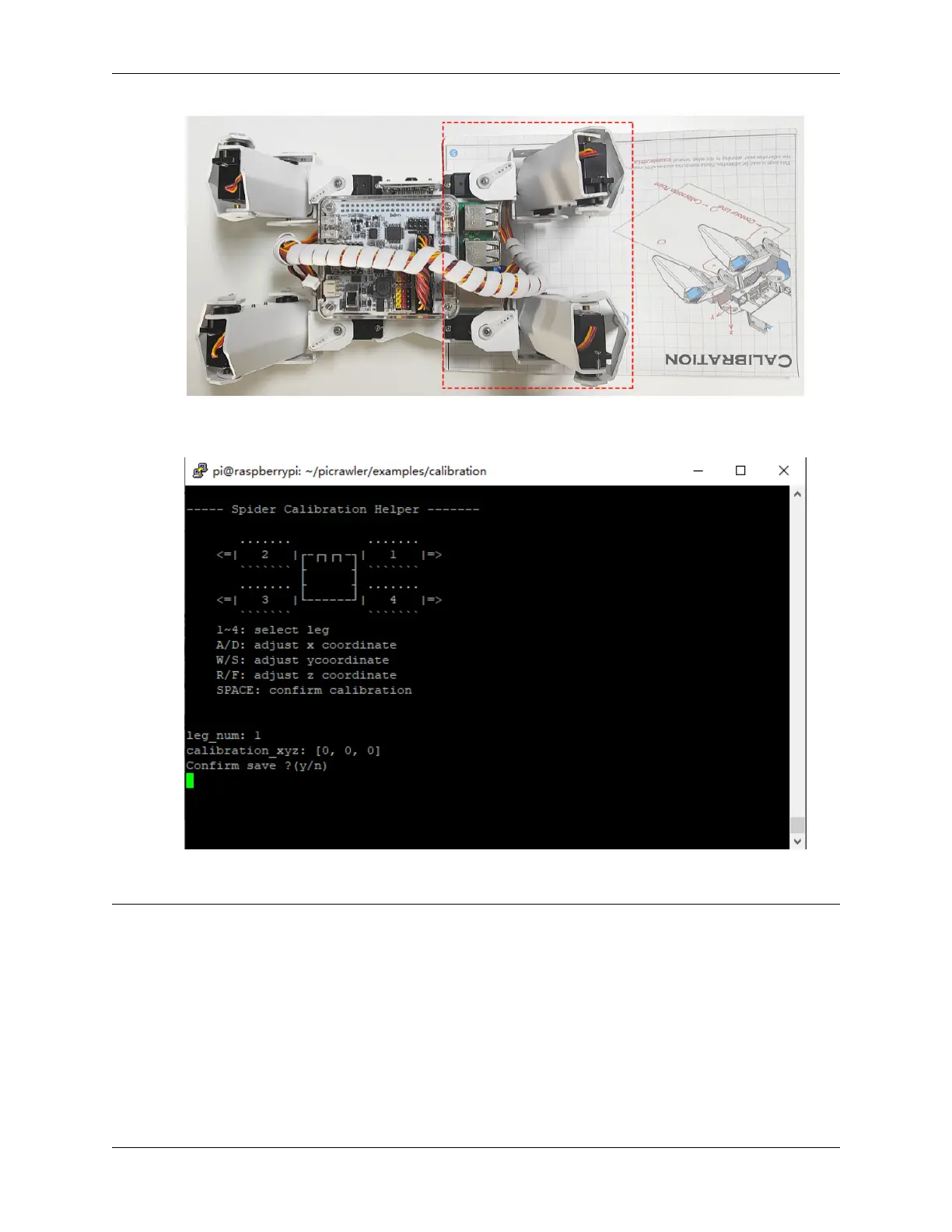
5. After the calibration is completed, press the space key to save, you will be prompted to enter Y to confirm, and
then ctrl+c to exit the program to complete the calibration.
After the assembly is complete, you can try to run the projects below.
Note: Hello, welcome to the SunFounder Raspberry Pi & Arduino & ESP32 Enthusiasts Community on Facebook!
Dive deeper into Raspberry Pi, Arduino, and ESP32 with fellow enthusiasts.
Why Join?
• Expert Support: Solve post-sale issues and technical challenges with help from our community and team.
• Learn & Share: Exchange tips and tutorials to enhance your skills.
• Exclusive Previews: Get early access to new product announcements and sneak peeks.
• Special Discounts: Enjoy exclusive discounts on our newest products.
• Festive Promotions and Giveaways: Take part in giveaways and holiday promotions.
3.2. Calibrate the PiCrawler 39



 To Next Page