87
7.8 More
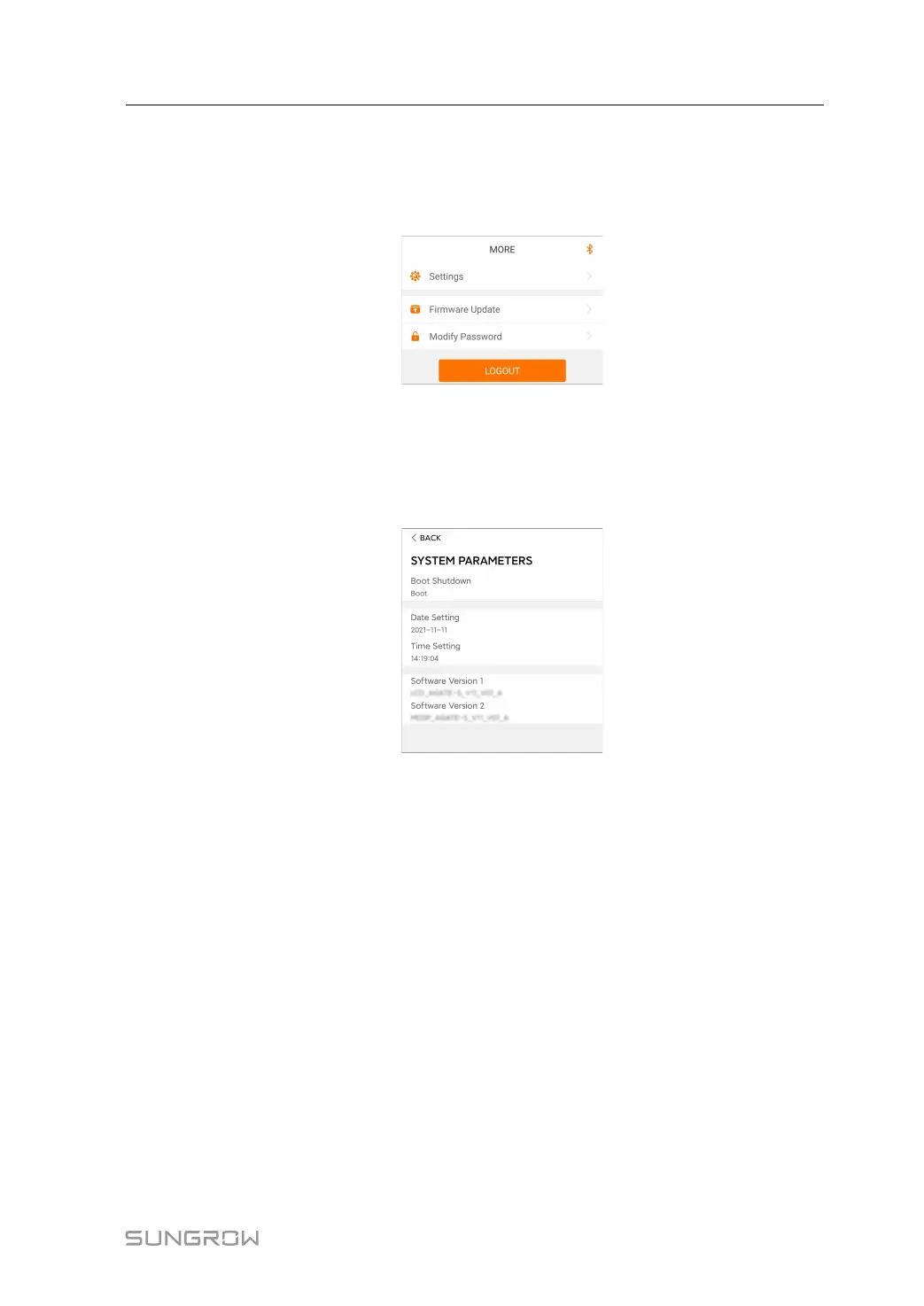
Tap More on the navigation bar to enter the corresponding screen, as shown in the following
figure.
figure 7-10 More
7.8.1 System Parameters
Tap Settings→System Parameters to enter the corresponding screen, as shown in the fol-
lowing figure.
figure 7-11 System Parameters
* The image shown here is for reference only.
Boot/Shutdown
Tap Boot/Shutdown to send the boot/shutdown instruction to the inverter.
Date Setting/Time Setting
The correct system time is very important. Wrong system time will directly affect the data
logging and power generation value. The clock is in 24-hour format.
Software Version
Version information of the current firmware.
7.8.2 Operation Parameters
Running Time
Tap Settings→Operation Parameters→Running Time to enter the corresponding screen,
on which you can set "Running Time".
User Manual 7 iSolarCloud App


 To Next Page