EasyManua.ls Logo

Supratec S200 - 7.2.2 Setting; Configuring of Displayed Measurements

Supratec S200
56 pages
Print Icon
To Next Page IconTo Next Page
To Previous Page IconTo Previous Page
Loading...
31
User Manual S200 Open
Update April 2018
7.2.2 Setting / configuring of displayed measurements
The operator has access to the choice of parameters coming from
a digital sensor in the BASIC ADJUSTMENT submenu.
Calibration
Temp. Compens./
Controller setting
Manual mode
Time / date
↕→
Basic settings
Service
Correct. PT
Controller param.
Switch-on delay
Analog output
Digi. Input 2
↕→
Select parameters
Language
Bus address
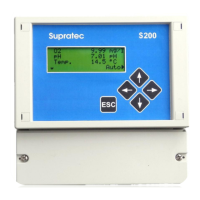
The SELECT PARAMETERS choice leads to the list of active parameters from 1 to 6. These
are the 6 usable display areas on the screen.
↕→
Parameter 1
Parameter 2
Selecting one of the six parameters leads to a list of choices:
- No measurement
- Temperature measurement
- Turbidity measurement
- Oxygen digital sensor
- MES-Turb. measurement
- pH digital sensor.

Table of Contents