rev. 08.15.2006.
3-19
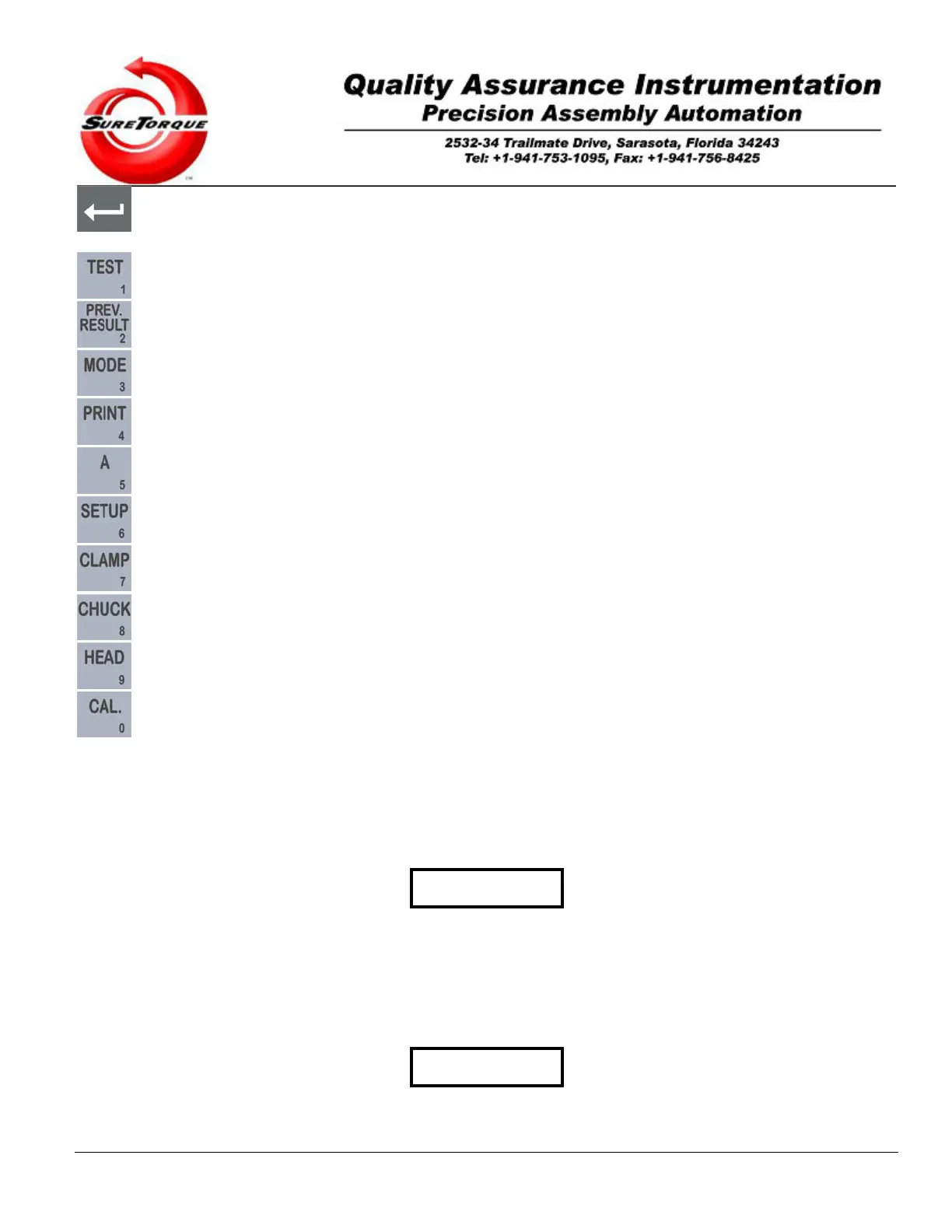
- This button is called “ENTER” (based on PC terminology), and used to get in submenus. Toggles the torque
application switch in Manual Mode.
- This button is used in Manual mode, to toggle the test output.
- This button is used to get in the historical screen.
- This button is used to select the operation mode.
- This button is used to send out historical data on communication port #2, when purchased.
- This button is used in Manual mode.
- This button is used in Manual mode.
- This button is used to toggle the clamp in manual mode.
- This button is used to toggle the chuck in manual mode.
- This button is used to toggle the table in manual mode.
- This button is used to check the device calibration and to start the calibration process.
3.2. Machine Setup
Prior to initial and/or routine machine startup, it is essential to perform a detailed and accurate inspection to the
overall system. As well, a proper “Set-up” procedure is necessary to assure the accuracy, and optimum trouble-free
operation of your ST-LAB Torque Tester.
IMPORTANT
Refer to Section 2, Installation Instructions, Section 2.3, Pre-run, Sure Torque Check-out Before attempting to start or
operate your ST-LAB Sure Torque System.
3.2.1. Mechanical Setup
Follow these procedures to assure proper ST-LAB Sure Torque set-up, and operation.
IMPORTANT
These steps must be performed whenever the size of the
closure and/or container to be tested, is changed.


 To Next Page