rev. 08.15.2006.
3-31
3.3.3. The Mode Screens
3.3.3.1. Manual Mode
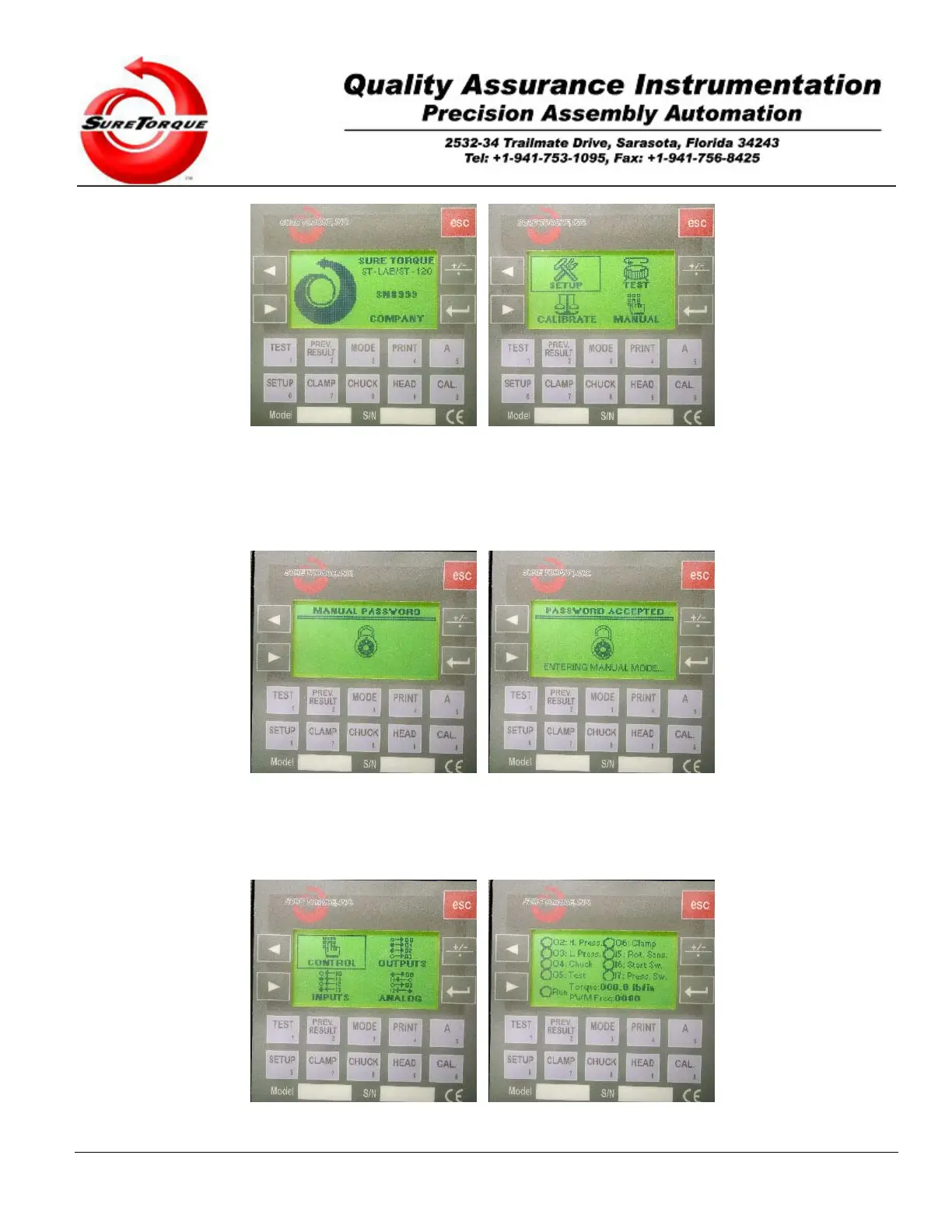
Select the Manual Mode using the arrow buttons on the main navigation screen, then hit ENTER.
Before entering the authentication screen appears (when the password protection feature is enabled). Type in the
password (default password is 1114). Entering the correct password’s last digit will automatically redirect to the main
manual screen. When the password protection is not enabled the operator will be able to enter in the manual mode
without typing in passwords.
The most often used option in the manual mode is the control. Select he control item with the ARROW buttons and hit


 To Next Page