rev. 08.15.2006.
3-23
Release Impulse Time: Similar to the Applied Impulse time, this timer may be used to configure the time delay
between the control impulses on the output of the PLC. As it was described above, this way the operator may change
the accuracy of the readout or the speed of the torque application.
Starting PWM rate: The starting PWM rate is the frequency offset of the frequency signal, the PLC outputs at the
very beginning of the torque test. This also means that the rotary actuator may be controlled to apply a pre-defined
torque at the beginning of the test. Increasing this value will cause the torque tester to start the torque application
from a higher torque value (not from 0), while decreasing it will decrease the torque of the rotary actuator when the
test starts. Configuring the torque tester for a specific container/closure is basically the procedure to find the optimal
starting rate and application impulse time for that torque application. For small containers/low torque ranges
(syringes, vials, small pharmaceutical containers) with tight torque specifications, the starting rate/torque offset should
be close to zero torque (around 300 Hz in PLC native unit) and the impulse time should be a higher value, for
example 20-30 ms. For larger containers where both the applied torque setpoint and the expected initial release
torque is at a higher torque level (above 10 lbfin) it is advisable to set the starting rate up to a native unit which equals
80-90 percent of the setpoint torque, and depending on the accuracy requirements change the impulse time to an
optimal value. To find out the native unit equals to a certain amount of torque the operator has to go into manual
mode, and evaluate the rate for that specific torque using the manual control options.
Rewind PWM Rate: The torque in native units used to rewind the head to the start position in the beginning of a test,
and between cyclic tests. Default value is 1200.
Topload Pull/Topload Push: Not applicable where the topload option is not available.
Dynamic Torque Settings
Unlock code: The dynamic torque control in applied mode is an optional feature and may be purchased at the time of
purchasing the tester and it may be unlocked later on as well. Unlocking this feature requires a 1-4 digit code, which
may be obtained from Sure Torque Entering this code will automatically enable the dynamic torque control feature.
In the dynamic control mode, the torque tester will apply the torque in two phases. In the first phase it will change the
torque fast, and in the second phase, where the error between the setpoint and the current torque value is below a
predefined limit, it changes the torque application slower but more accurate.
Slow Impulse Time: The time interval between impulses in the more accurate/slow application phase.
Fast Impulse Time: The time interval between impulses in the fast application phase.
Torque Distance: The value here will be used to check how close is the currently applied torque to the predefined
setpoint. When the torque is within the range defined by the torque distance, the PLC will automatically decrease the
torque and slow down the speed of the torque application.
Secondary Starting Rate: This is the amount in PLC native unit, that the control will decrease the actual rate with,
when the current torque readout is within the Torque Distance range. It is necessary to be able to decrease the torque
when the control automatically changes the speed, so the operator may optimize the operation for the best
accuracy/speed in any torque range (from syringes to big chemical containers).
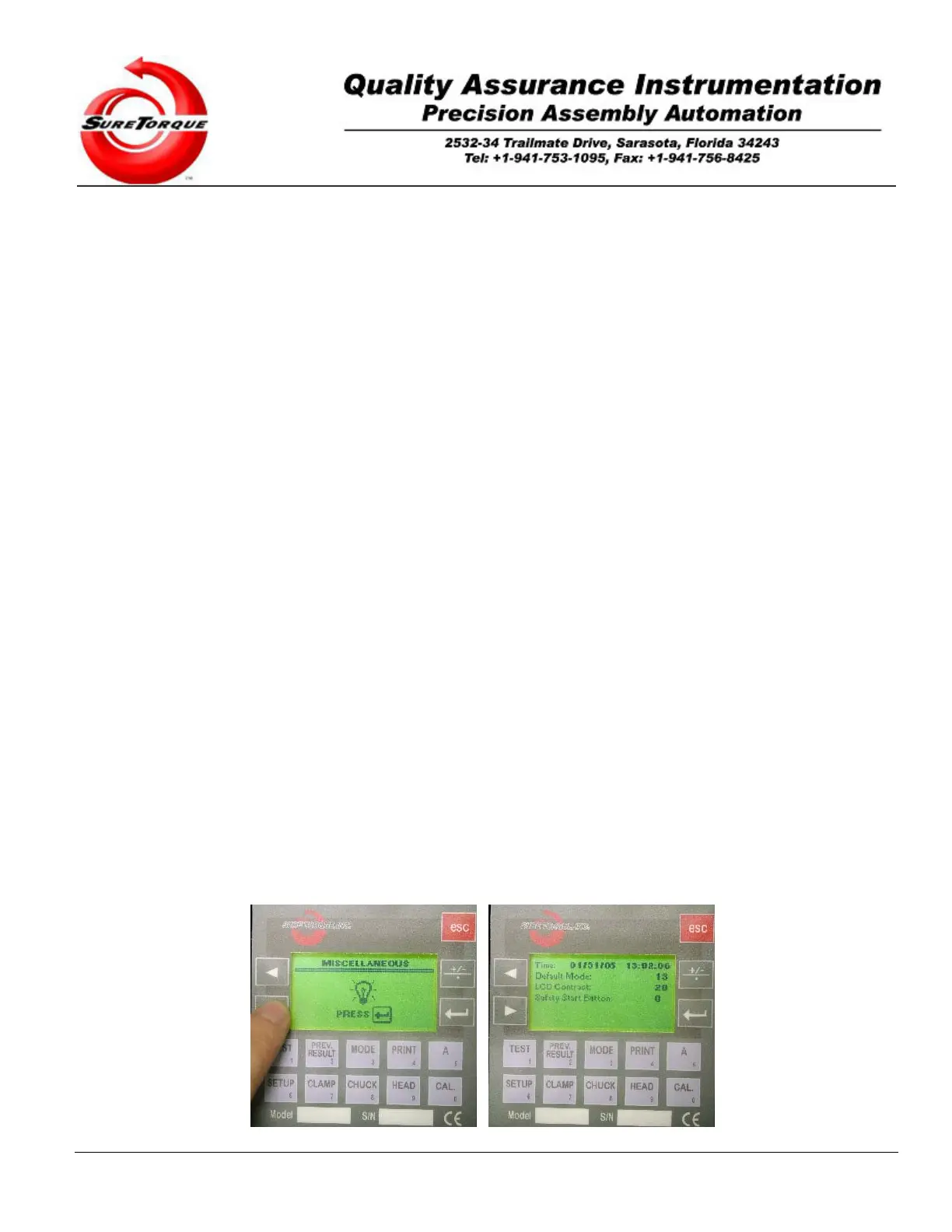
3.2.2.3. Miscellaneous
The third submenu may be used to configure miscellaneous settings, like the time and date, LCD contrast, default
operation mode screen, etc.


 To Next Page