rev. 08.15.2006.
3-30
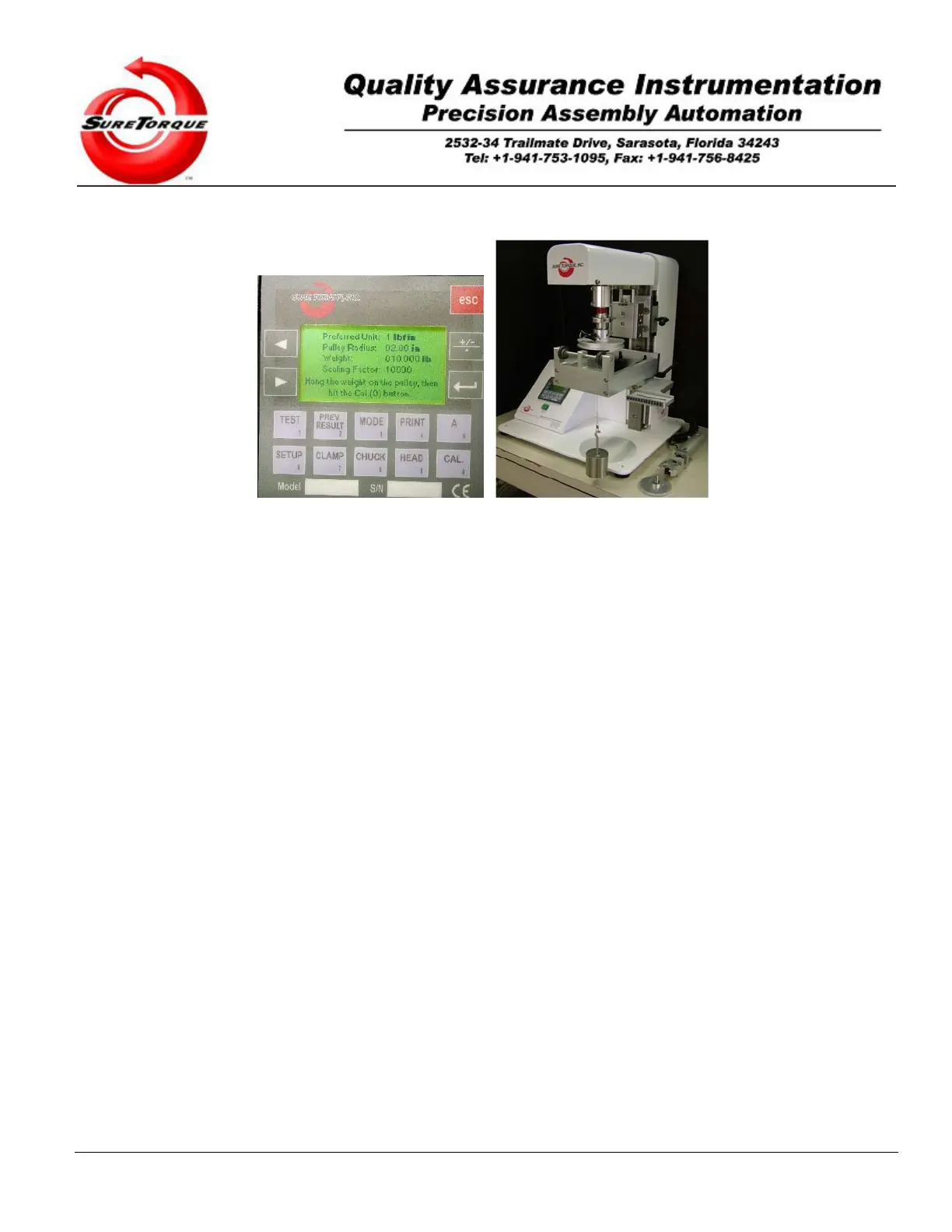
Take the weight off and make sure there is no torque applied to the chuck, then Press “CAL”.
The display will read:
“Hang The Weight On the (right side of the) Pulley”
“Then hit the CAL button”
Install the largest pulley from your calibration kit into the chuck. Hang all the weights (or the weight that will have a
comparable torque on the head (with the pulley) to the expected maximum of the release/application torque on the
end of the wire on the right side of the pulley. Wait until the weights stop swinging. Press “CAL”.
Repeat the last step on the left side (calibrate the gain in applied direction). After that, the zero offset and the gain are
determined, everything is set to get back to the previous screen and check the calibration of the unit. Hit CAL the last
time.
The display will then read the calibrated actual torque value.
Now the transducer is directly connected to the display for continuous observation. You can use different weights and
pulleys to test the unit for linearity. (Use the +/- button to check the applied/release calibrations)
Pressing the “Esc” button will take you back to the main navigation screen.
3.3. Displayed messages, options and instructions.
3.3.1. Display
All operator controls and messages are conducted via the PLC’s integrated screen and keyboard.
The modes and messages are programmed into the PLC’s memory. Depending on the options the customer
selected at the time of purchase, these modes may or may not be installed in the equipment.
3.3.2. Power On
At Power On, the Startup display appears on the screen:
To make the torque tester operator friendly, the PLC is configured to be ready to run the most often used test method
right after the startup screen automatically disappears. The default mode screen may be selected on the
miscellaneous setup screen. There is a few seconds which is used to delay the automatic default screen redirection
from the startup screen (information about the owner, company, model and serial number) and this delay may be
decreased or increased, as it is necessary in the timer configuration menu. If you are lost in screens you may always
go back to the startup screen. When you hit the ESC button on the startup screen, the main navigation screen
appears. Here you can can choose between the calibration, setup, manual and test modes.


 To Next Page