rev. 08.15.2006.
3-25
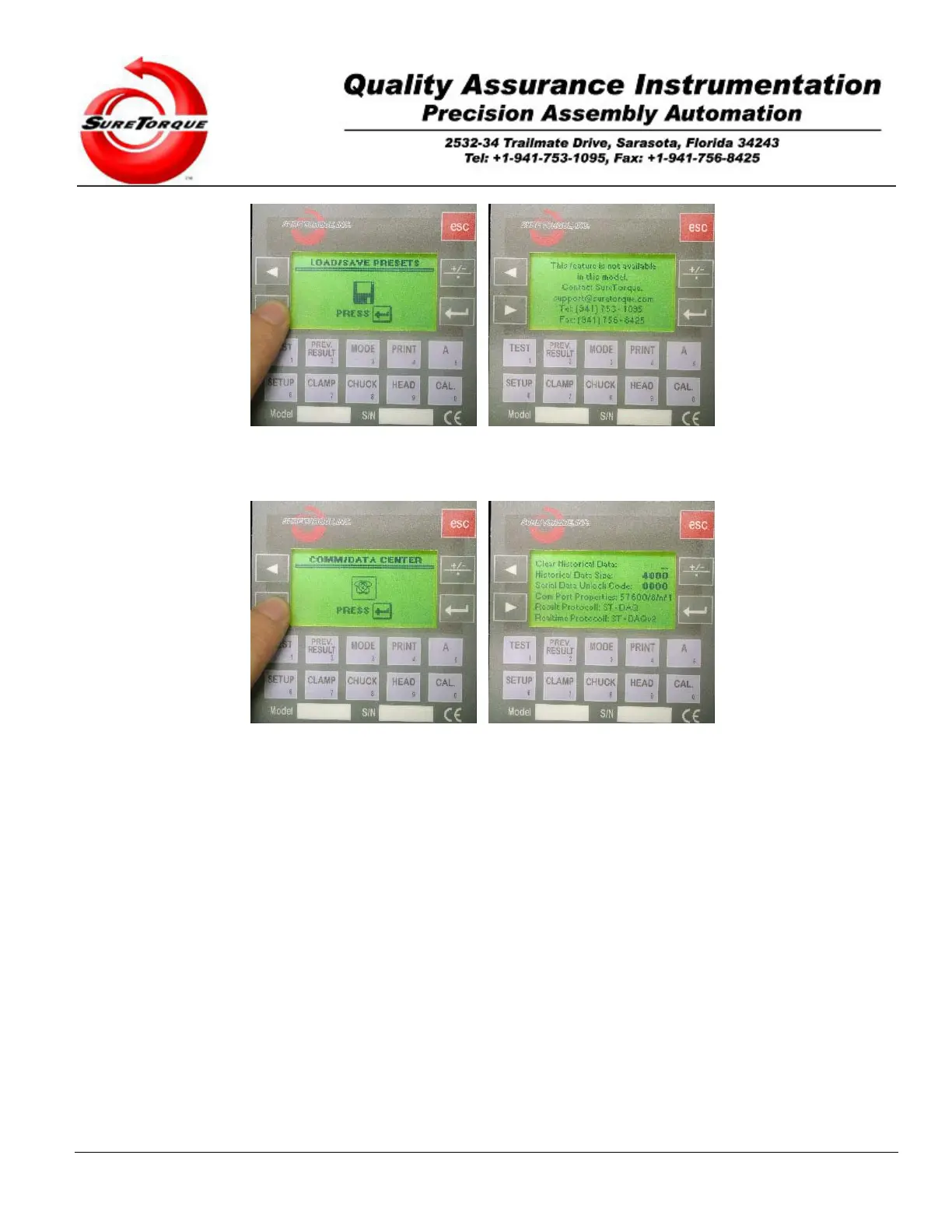
3.2.2.5. Serial communication, Data table setup
The fifth submenu may be used to define historical settings and check the communication parameters.
Navigation is possible with the ENTER, ESC and ARROW buttons. ENTER is used to get in the parameter
change screen, then it is used to accept the modified values. The numeric buttons may be used for editing the various
values and the ARROW buttons may be used to navigate between the values on a screen. The ESC button is used to
jump from one screen to the next.
Description of the values in the miscellaneous submenu:
Clear Historical Data: When you want to delete the historical records in the PLC, set this variable to 1, then hit
ENTER. This will erase all the records from the data table and set the data write pointer to 1.
Historical Data Size: To configure the data table size/the number of records may be stored in the data table, use this
variable. By default the data table size is set to 4000, which means that the tester will hold up to 4000 measurement
records in its memory. Then it uses the FIFO memory management strategy to refill the data table with the new
records.
Serial Data Unlock Code: When it is purchased, the serial data unlock code may be used to unlock the data
communication feature. This will enable both the real-time and the result string to be transferred to a printer, a data
acquisition software on a host PC or any serial communication device capable of receiving ASCII codes.
The other parameters on this screen are informational. The Serial port settings are:
Speed: 57600 BP S
Data bits: 8
Stop bits: 1
Parity: none
ASCII strings:
Real-time: “111.1-2222CRLF”


 To Next Page