rev. 08.15.2006.
3-27
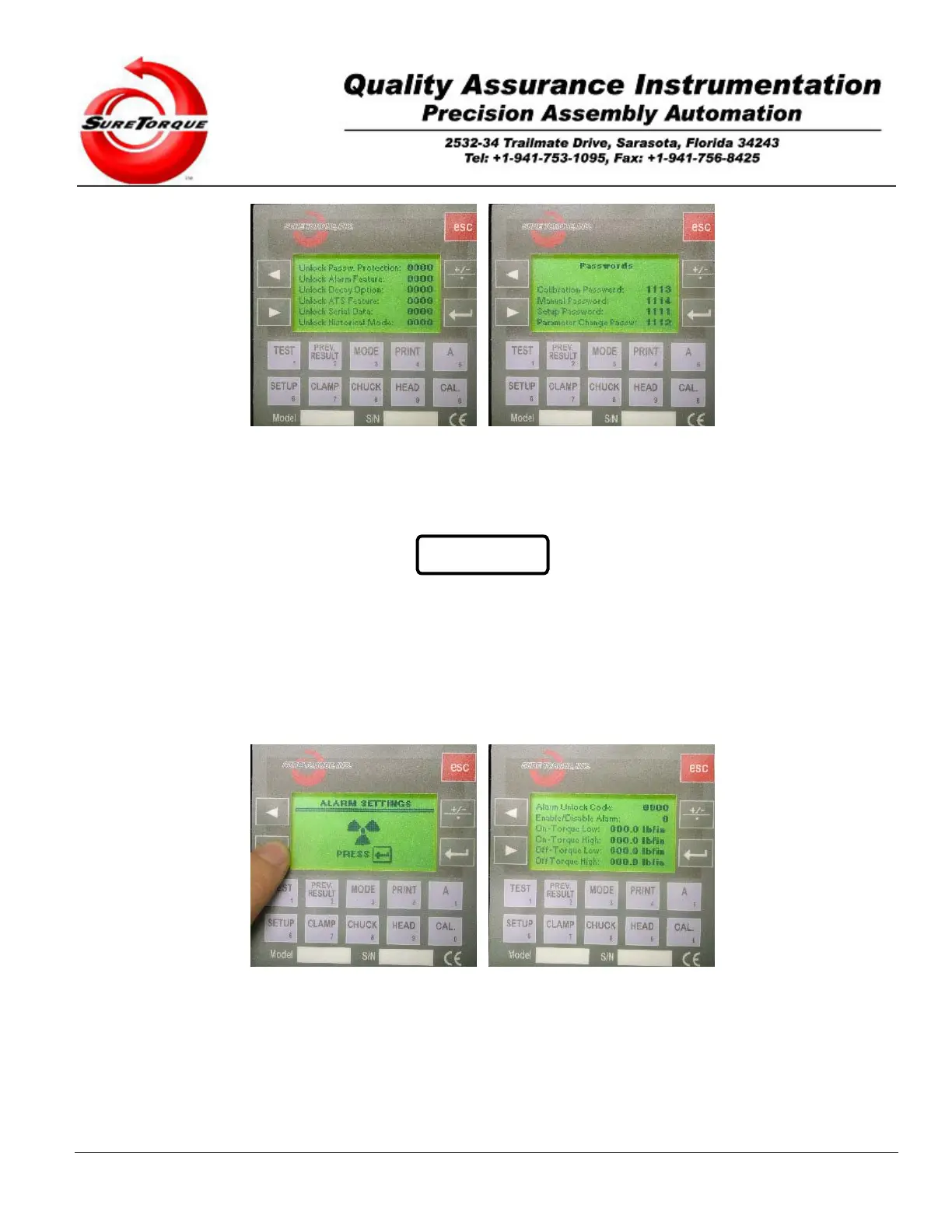
The last, password screen may be used to change the default passwords to any 4-digit number. The optional
password protection feature allows the customer to prevent any unauthorized person to make any changes in the
setup setting. The operator has to enter a four-digit password to have access to the critical modes. If your machine is
equipped with the password protection feature, you are only able to change the setup settings if you enter the four-
digit password.
WARNING
Once you have changed the password, it is advisable to write down
any passwords and keep them in a safe place as a backup. Be
very careful with this option, because if you forget the password, you
have to send your control unit back to the factory for password reset!
3.2.2.7. Alarm settings
The seventh submenu may be used to configure the alarm settings, when the alarm option is unlocked.
Navigation is possible with the ENTER, ESC and ARROW buttons. ENTER is used to get in the parameter
change screen, then it is used to accept the modified values. The numeric buttons may be used for editing the various
values and the ARROW buttons may be used to navigate between the values on a screen. The ESC button is used to
jump from one screen to the next.
Description of the values in the alarm submenu:
Alarm Unlock Code: If the customer purchased this option, Sure Torque will provide a 1-4 digit code, may be used to
unlock the alarm option in the torque tester. Enter that code here, then press the ENTER button. The alarm option is


 To Next Page