rev. 08.15.2006.
3-22
after applying the torque, but to wait for a certain amount of time. By setting this timer you can program the unit how
many seconds to wait before conducting the next test in the cycled modes, or releasing the cap at the end of a single
test.
Startup: After the equipment is turned on this delay is used before the PLC automatically redirects to the default
operational mode.
Password: The delay to get into a password protected screen after a successful password entry.
Reset: On our newer models, it is possible to restart the equipment using the keypad. This timer is used to configure
for how much time the operator has to press the ESC button before the PLC restart. If you feel it is necessary, change
this value very carefully; this delay should not be less then 1 second.
Cycle Start: In cyclic operation modes it is possible to configure delays before, between and after cycles. This is the
delay between the chuck is actuated and the torque test starts.
Cycle End: This is the delay at the end of a cycle, between the test is finished and the head rewinds to the start
position in the next cycle.
Cycle Rewind: This is the delay at the end of a rotation in an unsuccessful applied cycle, before the head rewinds to
the start position to reapply the pre-defined torque.
Note: Timing values are normally not changed unless a major size change is made to the test containers and
closures. The delay values are increased if more time is required between cycle steps.
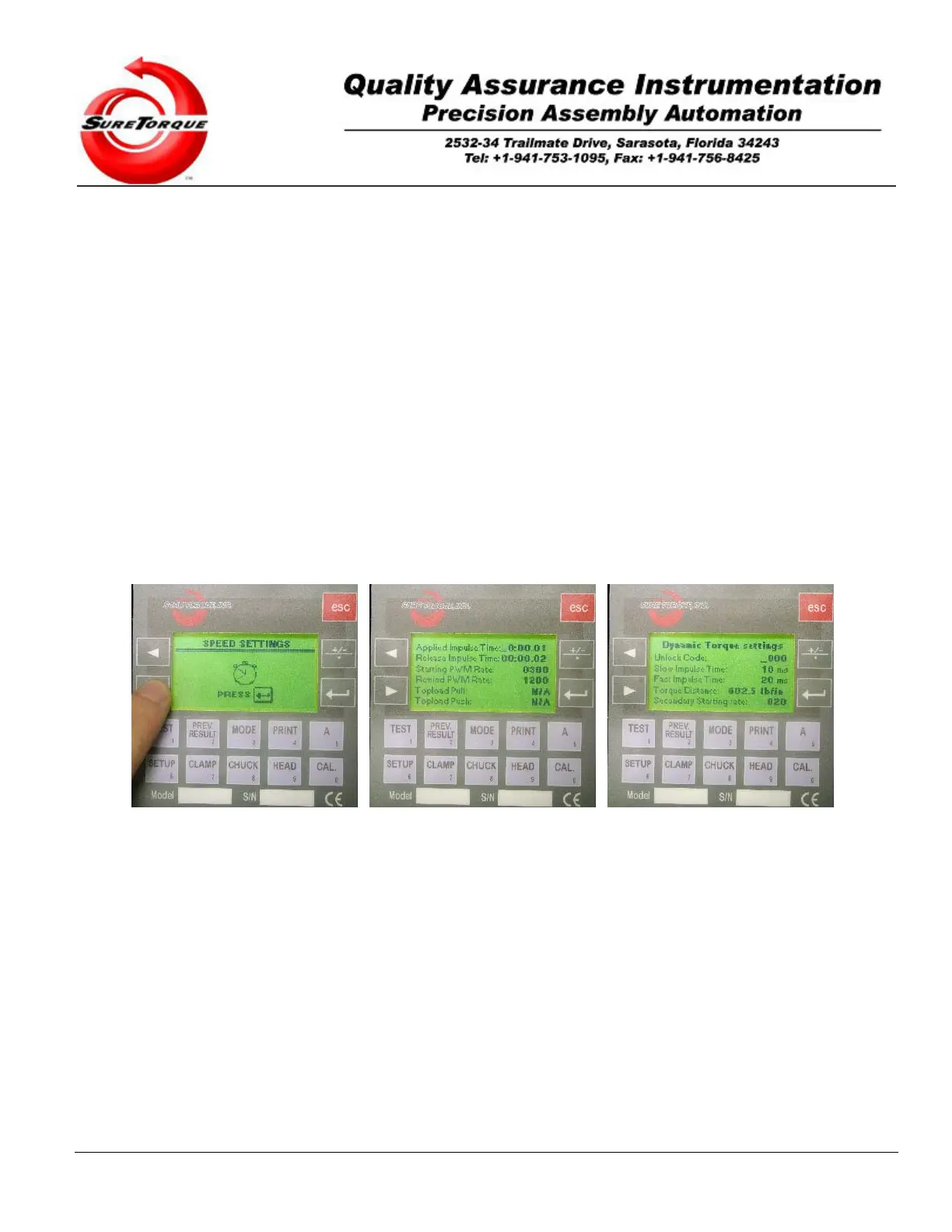
3.2.2.2. Speed Settings
The second submenu may be used to configure variables affecting the speed and accuracy of the torque testing.
Navigation is possible with the ENTER, ESC and ARROW buttons. ENTER is used to get in the parameter
change screen, then it is used to accept the modified values. The numeric buttons may be used for editing the various
values and the ARROW buttons may be used to navigate between the values on a screen. The ESC button is used to
jump from one screen to the next.
Description of the values in the speed submenu:
Applied Impulse Time: When the automatic/dynamic torque control option is not purchased, this timer is used to
configure the time interval between control impulses on the PLC output. The number of control impulses per second
is proportional to the speed of the torque change in a cycle. Setting this timer to a low value will decrease the time
required to reach the torque setpoint, but the control will overshoot the setpoint value. Increasing the time interval will
slow down the speed of the torque application, while increasing the accuracy, and decreasing the error of the control.
There are several factors affecting the accuracy and speed of the torque control. One of them is the Impulse time
interval. The PLC controls the torque applied by the rotary actuator, through its frequency output. The frequency
signal then is converted to an analog signal where the signal level is proportional to the frequency of the input signal.
This analog signal directly controls the rotary actuator. When the dynamic torque control option is purchased the
torque tester will automatically optimize the torque speed (applied impulse time) so this value is dynamically
overwritten by the PLC to optimize the speed/accuracy of the torque tester.


 To Next Page