©2022 Sveaverken. All rights reserved. 32
Sveaverken F100 Auto Steer System Software User Manual
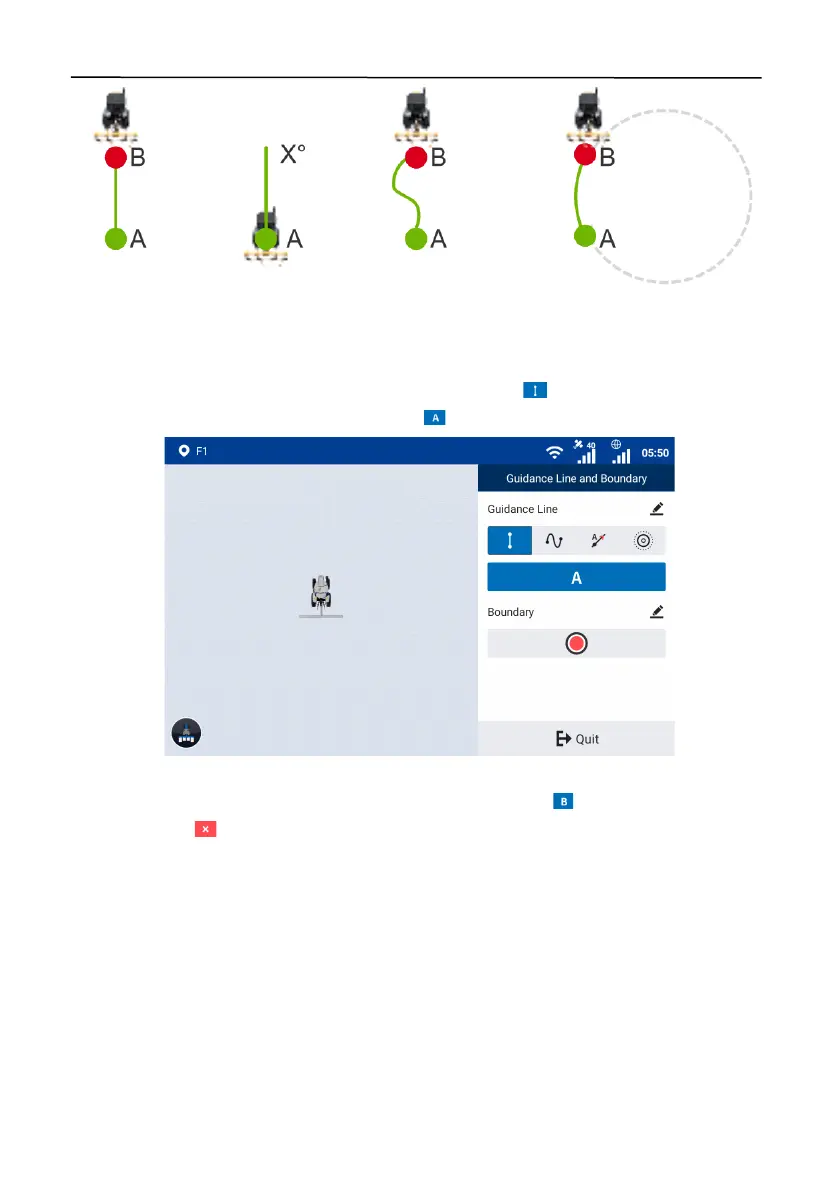
Figure 55.
Four guidance line modes
AB straight line mode
Set point A and point B to create a straight line. This mode is applicable to regularly shaped fields.
Access the boundary and guidance line creation screen, and tap to select the AB straight line
mode. Drive the vehicle to the start point, and tap to set the current position as point A.
Figure 56.
Set point A
Stay in the manual mode, and drive the vehicle for at least 10 m. Tap to set the current position
as point B, or tap to cancel point A.



 To Next Page