©2022 Sveaverken. All rights reserved. 36
Sveaverken F100 Auto Steer System Software User Manual
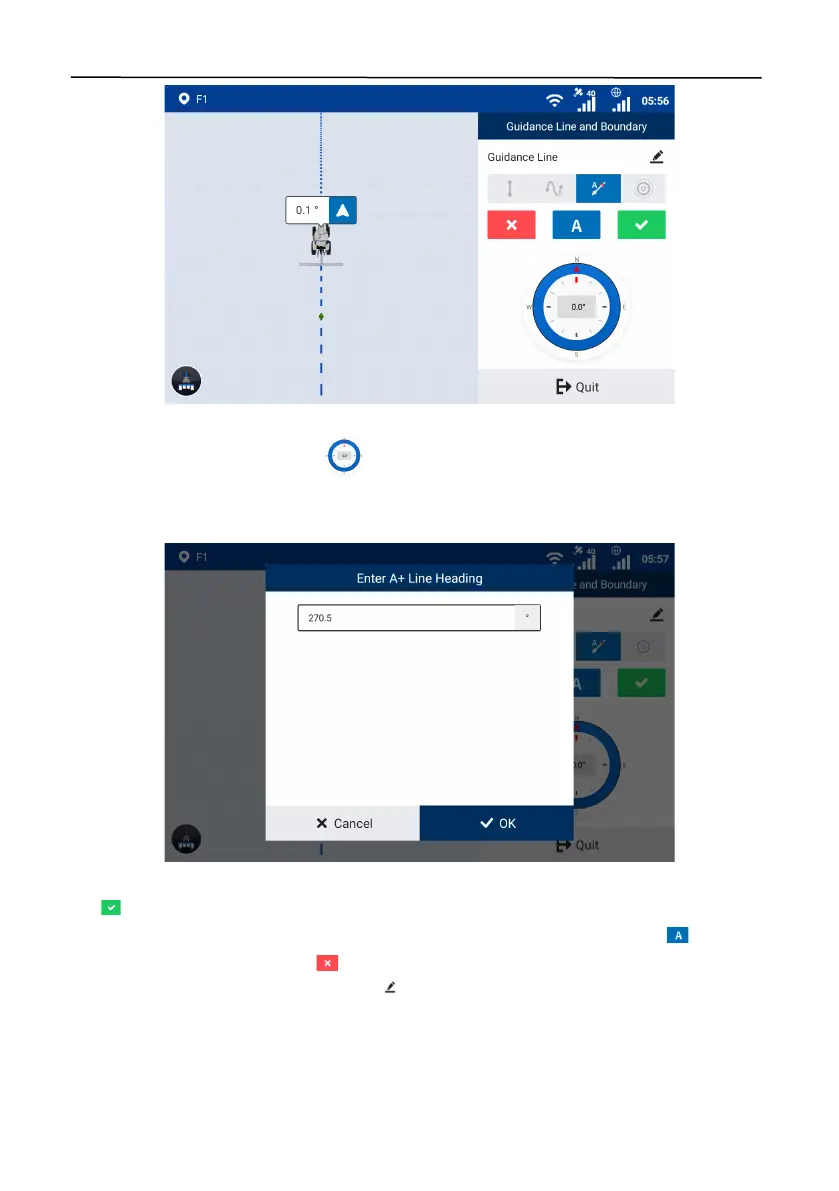
Figure 63.
Use the current heading
b. To enter a heading manually, tap on the right panel, and a popup window appears. Enter
a heading relative to the true north in a clockwise direction. The heading must be in the range of 0–
360°, with a maximum of four decimal places.
Figure 64.
Enter the heading manually
Tap to generate and import the A+ line, and the system goes to the home screen and uses the
A+ line automatically. You can also keep driving the vehicle to another point and tap to change
point A to the new position, or tap to cancel the line creation.
When creating a guidance line, you can tap in the upper right corner to change the guidance
line name.
Curve mode
Use the curved trajectory between point A and point B to generate a guidance line. This m od e i s



 To Next Page