©2022 Sveaverken. All rights reserved. 86
Sveaverken F100 Auto Steer System Software User Manual
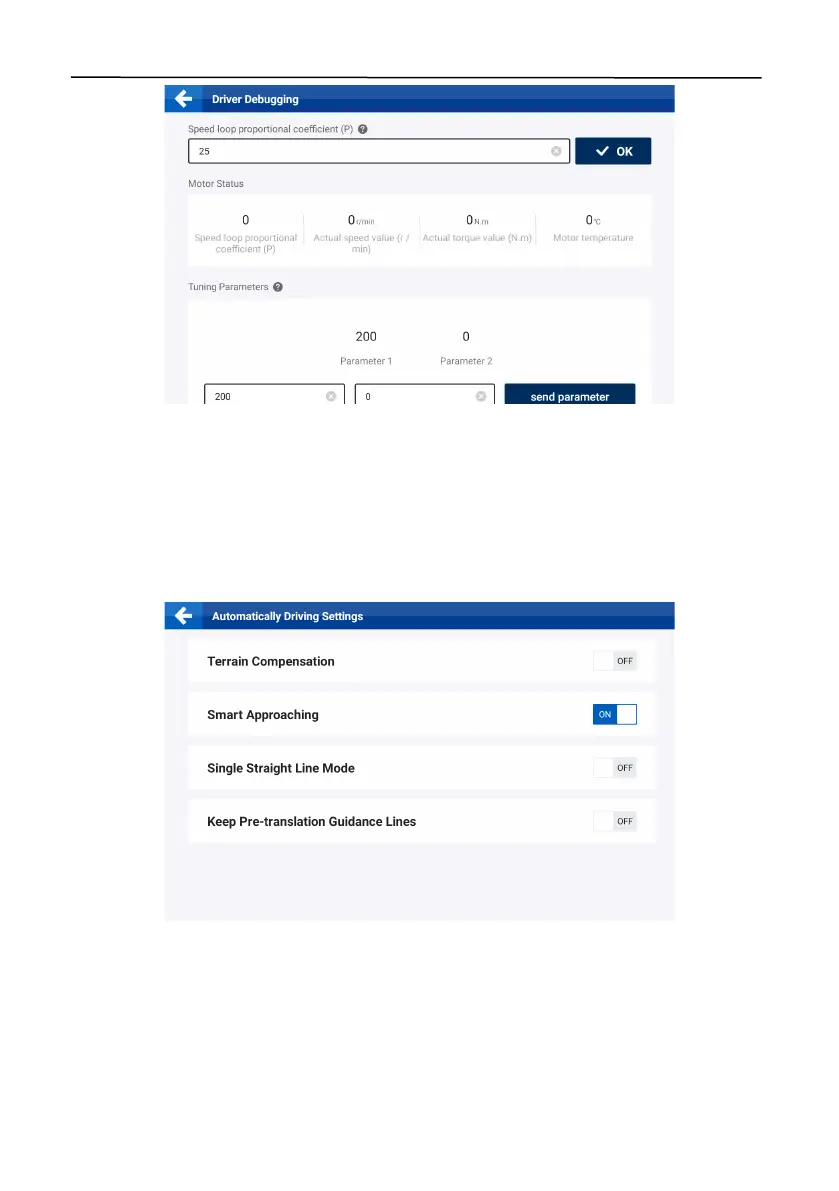
Figure 140.
Driver debugging
6.3.3 Implement Calibration
Tap
Implement Calibration
on the
DEVICE SETTINGS
screen to calibrate the implement. Refer to
section 2.10 "Calibrating the Implement" for details.
6.3.4 Automatically Driving Settings
Click the
Automatically Driving Settings
button on the
DEVICE SETTINGS
screen to set the
autopilot mode.
Figure 141.
Automatically Driving Settings
Super Low Speed:
If the vehicle needs to drive at a speed below 1 km/h for a long time, enable the
Super Low Speed mode to ensure the operation accuracy and stability. Tap Super Low Speed on
the APPLICATIONS screen, and turn on the Super Low Speed switch.
Note: Before using the Super Low Speed mode, ensure that you have installed and calibrated
the Hall sensor. Refer to section 2.7 "Calibrating the Angle Sensor" for details.



 To Next Page