14
5. WIRED SOLUTION
The Scan can be controlled by electrical signals grouped on two D-SUB connectors.
This approach is the most direct to implement, but also the most limited in its possibilities. For example, it is not
possible to exchange analog values (e.g. axis positions). Note that the number of functions available depends
directly on the number of input/output signals of the Scan.
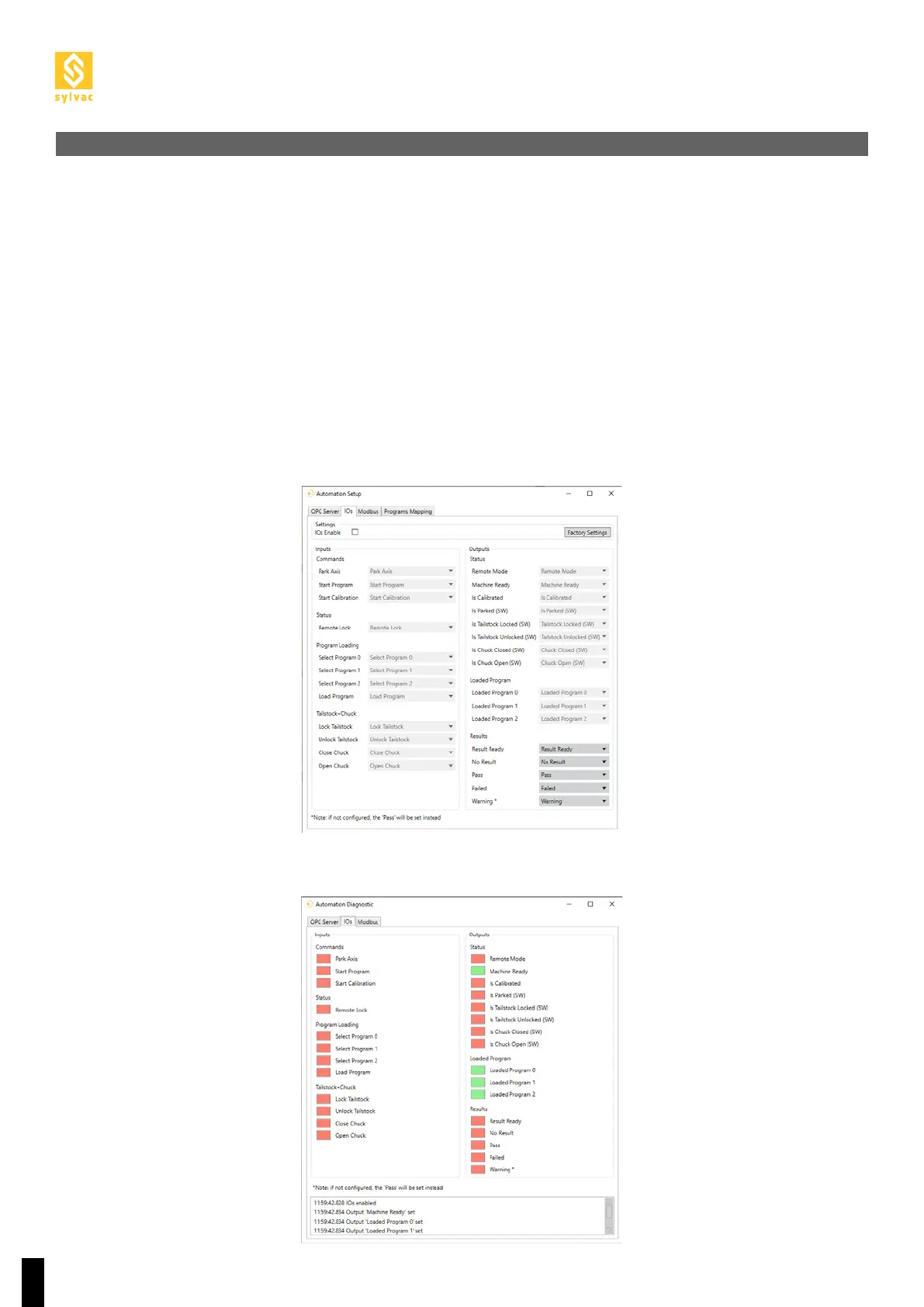
The first time you use them, the IOs have to be activated.
Go to the Setup ot the “Automation” plugin from the menu“Service->Plugin->Automation->Setup” and check IOs
Enable in the IOs tab.
If you do not use IOs, IOs Enable must be unchecked.
To check the status of the IOs, go to the Diagnostics of the “Automation” plugin from the menu“Service->Plu-
gin->Automation->Diagnostics” and check the status of the IOs in the drop-down window at the bottom of the
IOs tab.
5.1 Configuration
5.2 Diagnostics



 To Next Page