36
11.3 FAQ
11.1 In case of failure
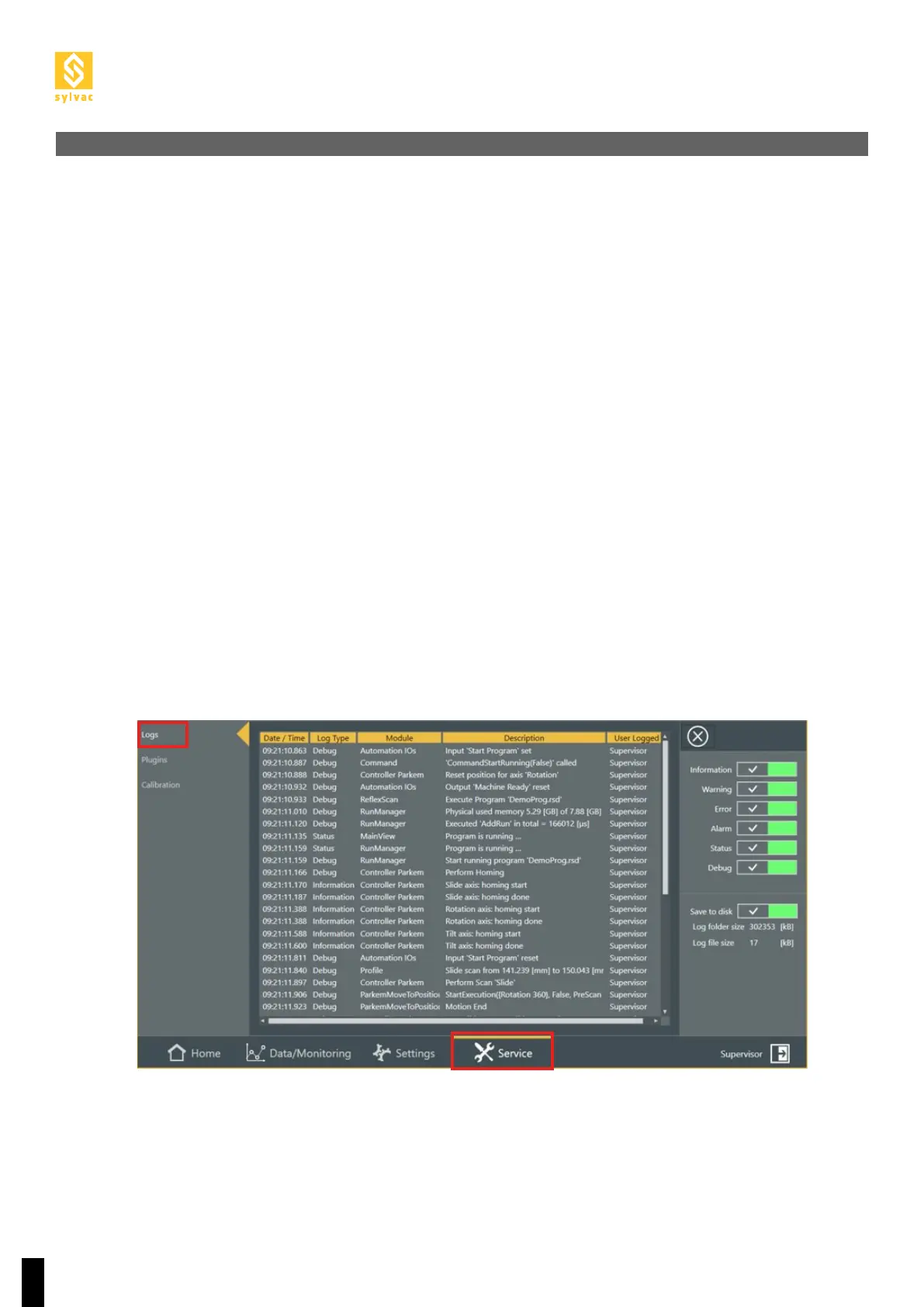
11.3.1 How to access the logs
11.3.2 There is no I/O signals emitted from the Scan machine
11.2 Problems at start up
11. TROUBLESHOOTING
All SYLVAC-SCAN machines have been designed for ease of use and trouble-free operation.
This section describes problems that might occur when starting up the system, whilst also listing some error
messages which may be displayed when running the software.
1. The system shows no signs of life :
1. Check the power supply and connections, including those to the PC and the monitor.
2. Check that the PC and monitor are turned on.
2. The PC starts but the LED does not light up.
3. Check all cable connections.
4. Contact your local SYLVAC’s agent.
1. Logs are the primary source of information for the diagnostic
2. You can view the logs at ReflexScan -> Service -> Logs
3. Logs are also stored in folder ‘C:\ProgramData\SYLVAC\SYLVAC-REFLEX Scan\Logs’
4. When you contact the Sylvac Service Team, try always to attach the log file corresponding to the problem
together with the corresponding time stamp.
1. Check that there is +24V and GND from the robot on the right pins of the Scan.
2. Using a measuring device, check there is +24V on one of the corresponding green Output pins in the Auto-
mation Diagnostics.
3. Using a measuring device, check there is 0V on one of the corresponding red Output pins in the Automation
Diagnostics.



 To Next Page