35
2. Software enabling :
The Pedal allows the user to quickly unlock parts by either acting on the Chuck or the Tailstock. It has the
following modes:
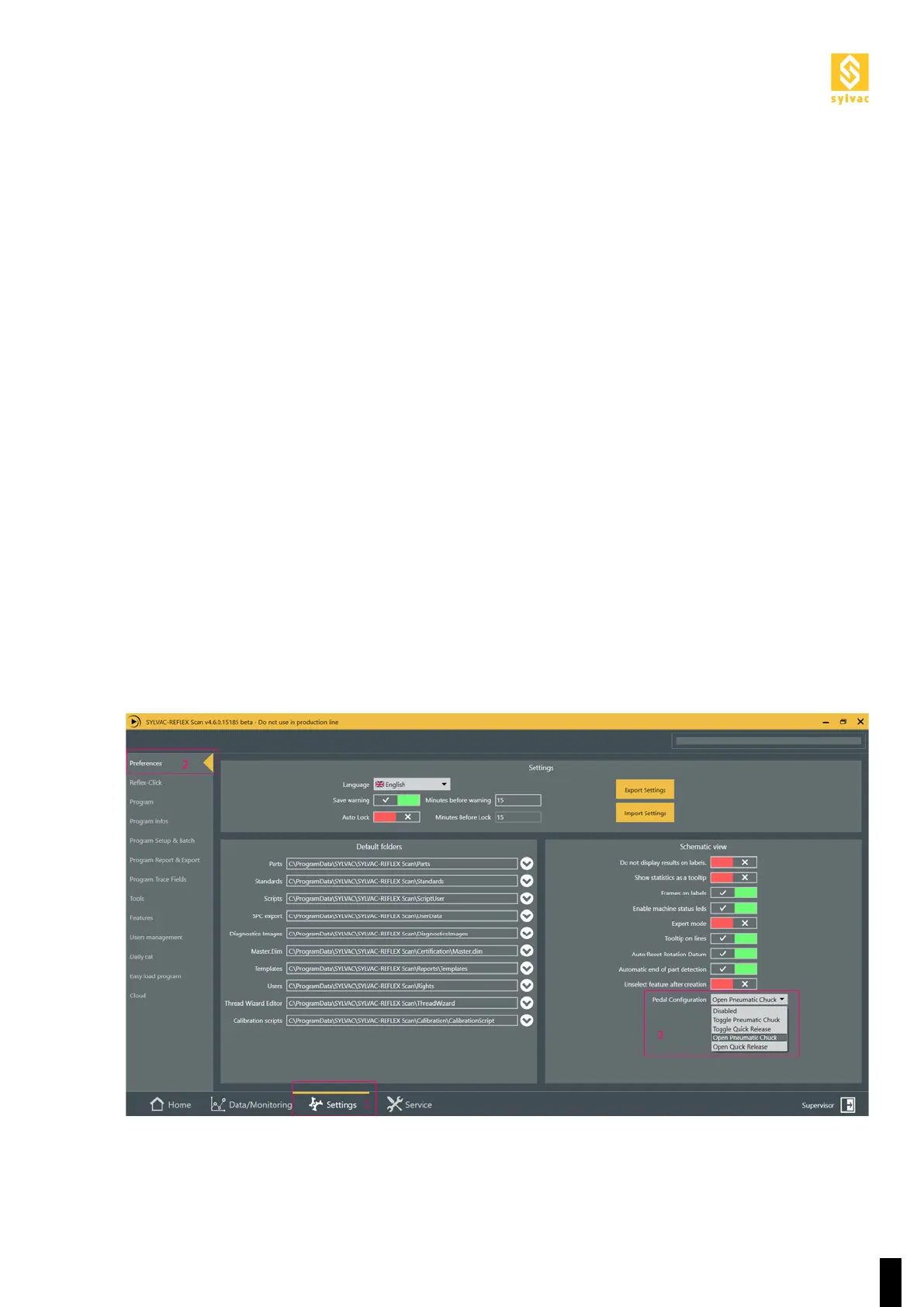
To set the corresponding mode to the wanted use, please go to Settings > Preferences > Pedal Configuration.
In this menu, user can disable or choose the function of the foot switch.
a. Toggle Pneumatic Chuck :
Press and release the pedal once, the pneumatic chuck opens. Press the pedal again to close the chuck and
clamp the part.
b. Toggle Quick Release :
Press and release the pedal once, the tailstock goes up unclamping the part. The distance traveled corres-
ponds to the configured clearing distance in the settings. Press the pedal again and the tailstock goes down
to clamp the part.
c. Open Pneumatic Chuck :
Keep pressing the pedal to open and unlock the pneumatic chuck. Once you release the pedal, the chuck
closes to clamp the part.
d. Open Quick Release :
Keep pressing the pedal to unlock the tailstock (it goes up by the configured clearing distance in the settings).
Once you release the pedal, the tailstock goes back down and clamps the part.
This mode is equivalent to the mechanical quick release mode in the Tailsock of F60 machines.



 To Next Page