Deployment Solution 48
Installing and Configuring Automation
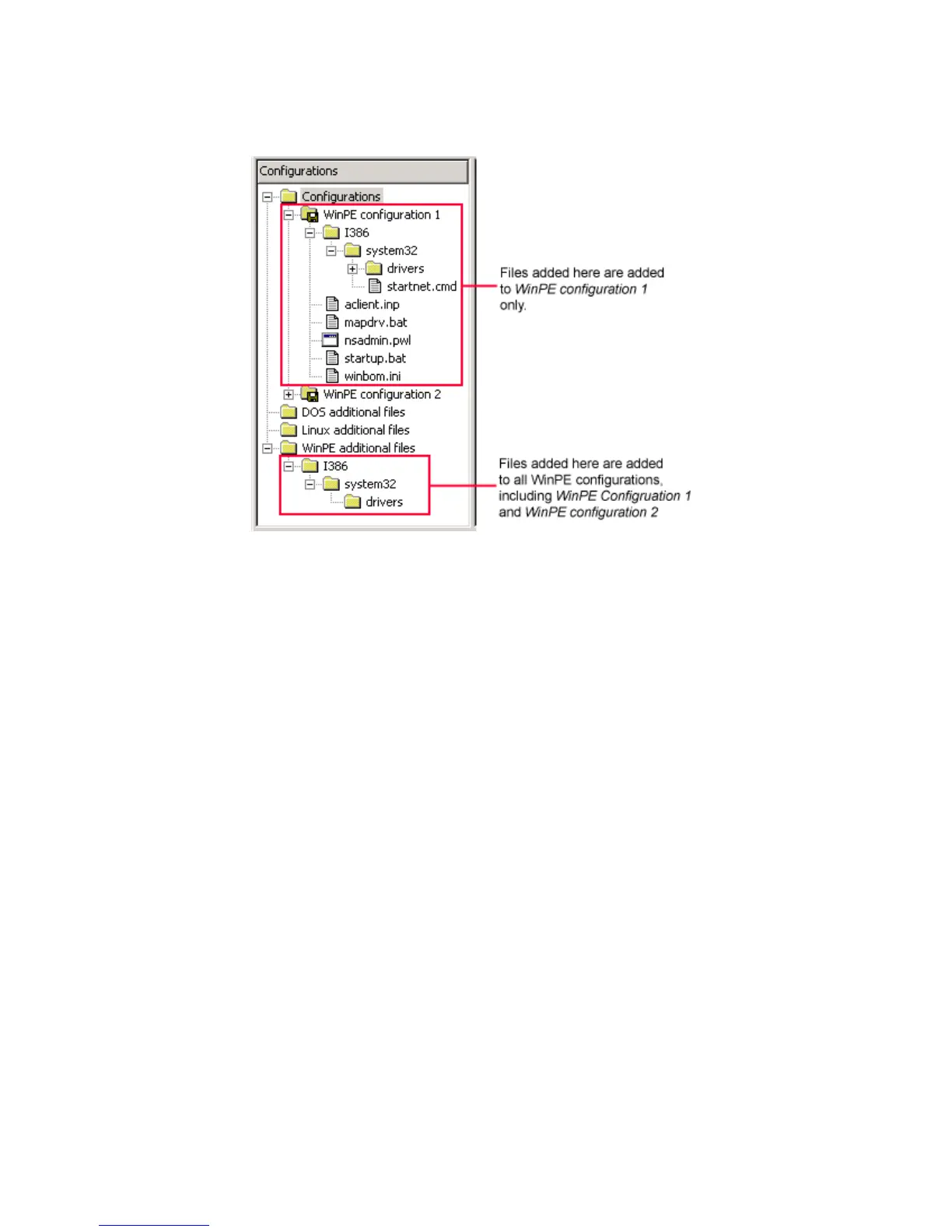
The following example provides an overview of this process.
Adding Mass Storage Drivers for WinPE
1. Select either the WinPE Additional Files folder, or a specific Boot Disk Creator
configuration.
2. Right-click and select add > Folder. Using this add folder command, create the
following path: i386\system32\diskdrivers
3. Within the diskdrivers folder, create the necessary folders to contain your drivers.
The folders you add should contain a txtsetup.oem file, and at least one *.sys file,
and possibly additional files. You must also ensure that any sub-folders specified by
txtsetup.oem are included, and that the [defaults] section references the proper
device driver (some textsetup.oem files might support multiple devices and drivers,
and the proper device must be specified in the [defaults] section).
The diskdrivers path is for adding mass storage drivers. If you are adding different
driver types, you might need to modify this path.
Adding Large Files to a Linux Boot Configuration
Linux automation is typically loaded into RAM. Due to limitations on the amout of RAM
available on most computers, there is a size constraint on the files that can be included.
If you need to access larger files locally (such as a disk image), Boot Disk Creator
provides a mechanism to mount a folder outside of the ramdisk, letting you access files
that are too large to fit on the ramdisk.
This is done by creating a folder named “.” in the root of your boot configuration.
1. Right-click your configuration and select New > Folder.
2. Name this folder “.” (do not include the quotes, just .).




 To Next Page