Using the Mobile Companion Utility in Windows CE
E - 8 Spectrum24 Wireless LAN Adapter Users Guide
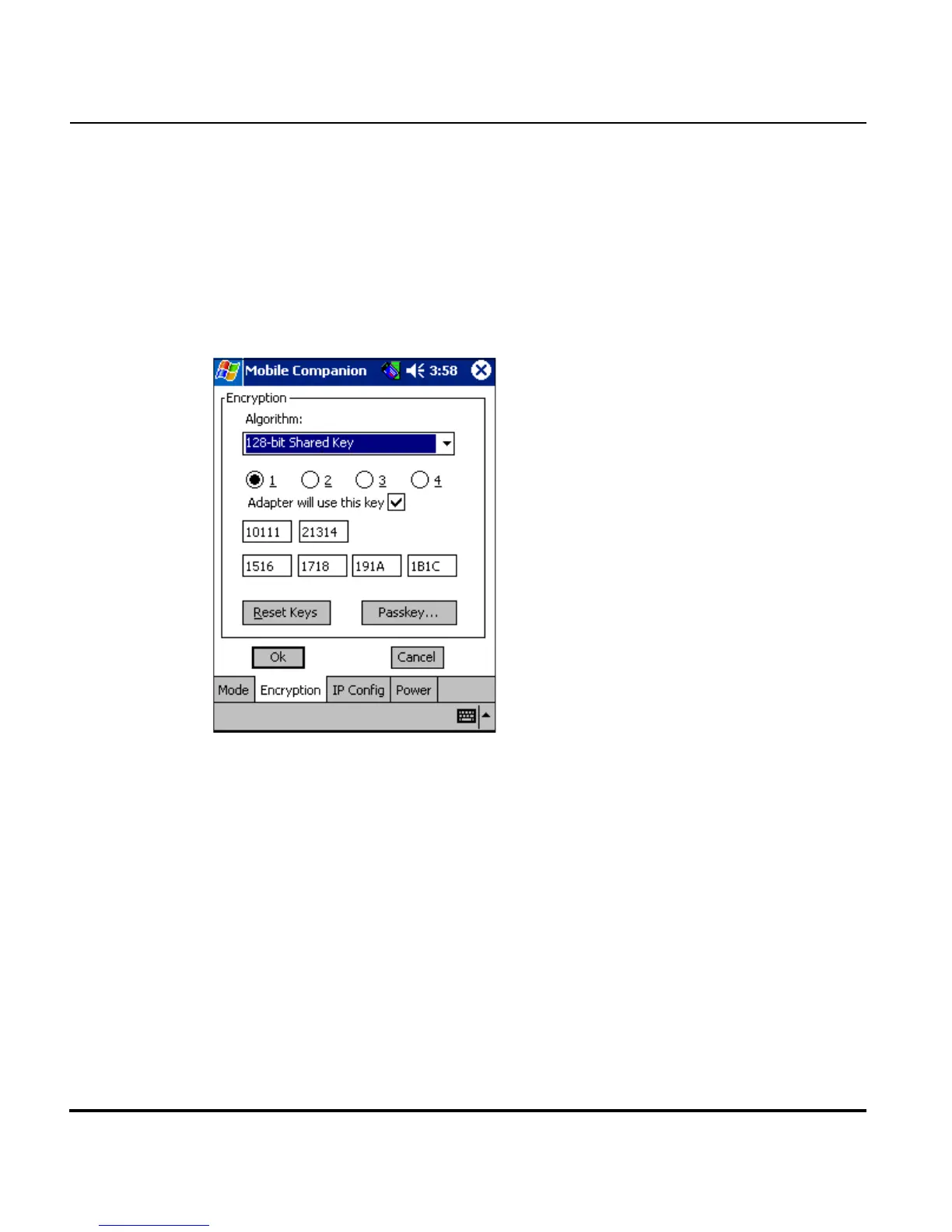
E.4.3 Encryption Property Page
Use the Encryption property page to set the adapter profile security level.
The firmware supports Open System (no encryption), 40-bit Shared Key
(40-bit), 128-bit Shared Key (128-bit,) Kerberos and EAP-TLS encryption
algorithms. The absence of a physical connection makes wireless links
vulnerable to information theft. Encryption is an efficient method of
preventing data theft and improving data security.
The access point and the adapter are required to use the same encryption
algorithm to associate and transmit data. If an access point is set to Open
System and an adapter is set to 40-bit or 128-bit, no association takes place.
Similarly, if an adapter is set to Open System and an access point is set to
40-bit or 128-bit, no association takes place. For information on configuring
the Spectrum24 access point for milt-ESS MU support (VLAN), refer to the
AP-4131 Access Point Product Reference Guide available from the Symbol
Web site.
If an access point is set to 40-bit and an adapter is set to 128-bit the adapter
can associate to the access point, but no data transmission and reception
can take place.



 To Next Page