Using the Mobile Companion Utility
Spectrum24 Wireless LAN Adapter Users Guide A - 19
A.4.9 IP Status Property Page
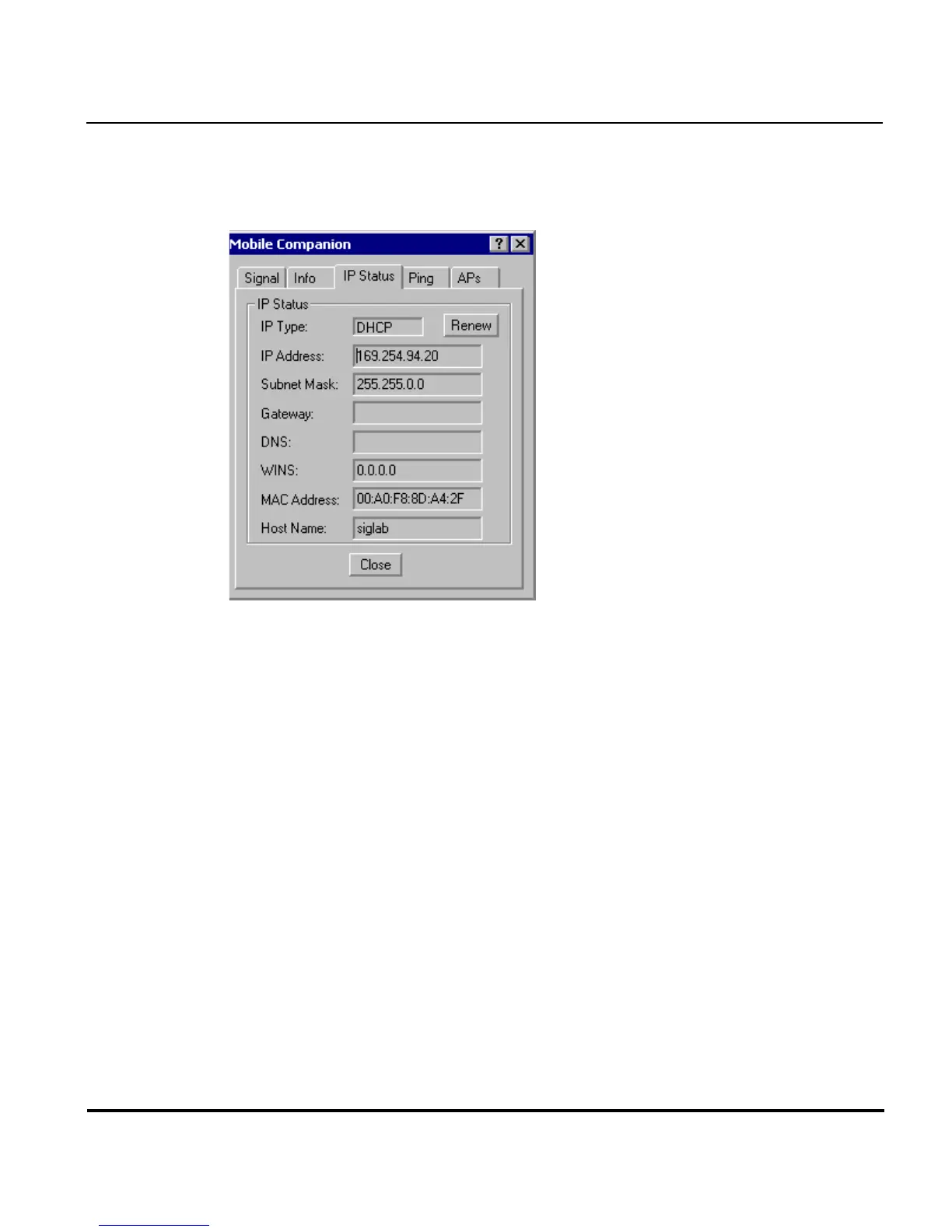
Select the IP Status tab to display the IP Status property page.
Use the IP Status property page to view the adapter’s network address
information. Unlike the IP Config property page, the IP Status page is view
only with no user-configurable data fields.
•
••
•IP Type
IP TypeIP Type
IP Type - DHCP or Static. If DHCP was selected from the IP Config
property page, leased IP address and network configuration information
displays for the adapter. If Static was selected, the variables displayed
were input manually.
•IP Address
IP AddressIP Address
IP Address - The Internet is a collection of networks with users that
communicate with each other. Each communication carries the address
(IP address) of the source and destination networks and the particular
machine within the network associated with the user or host computer
at each end. Each node on the IP network must be assigned a unique
IP address that is made up of a network identifier and a host identifier.
Enter the IP address as a dotted-decimal notation with the decimal value
of each octet separated by a period, for example, 192.168.7.27.



 To Next Page