Using the Mobile Companion Utility
A - 22 Spectrum24 Wireless LAN Adapter Users Guide
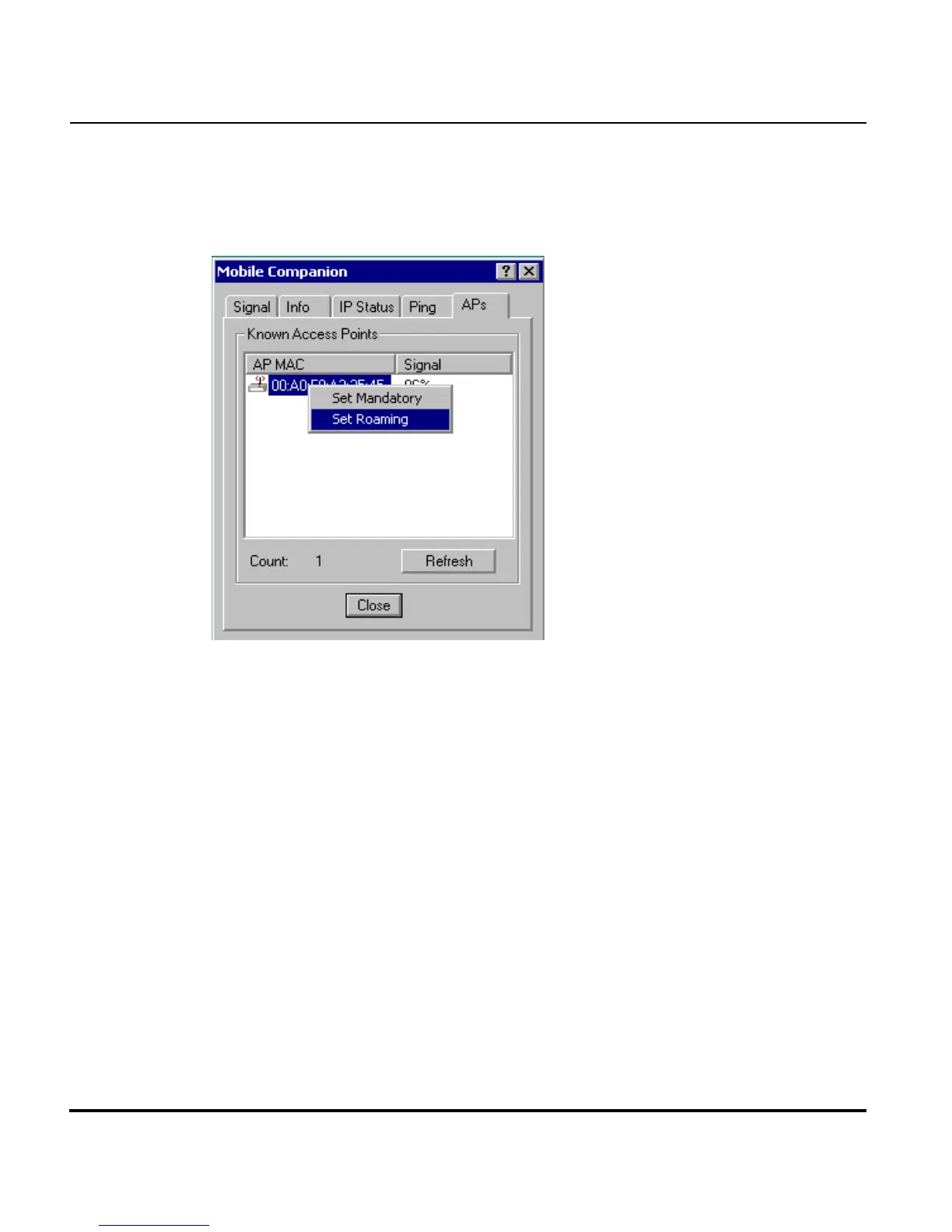
A.4.11 APs Property Page
Select APs from the Mobile Companion Status menu to display the APs
property page.
Use the APs property page to view access points with the same ESSID as the
adapter profile. View the MAC addresses and signal strength levels (as a
percentage) of the known access points. The associated access point displays
a radio wave radiating from its antenna to indicate its associated status.
Right-clicking on an access point icon displays a menu.
Selecting the Set Mandatory
item prohibits the adapter from associating
with a different access point. The letter M displays on top of the icon when
the Set Mandatory option has been selected. Selecting Set Roaming allows
the adapter to roam to any access point with a better signal.
These settings are temporary and are not saved. Select Refresh to update the
list of the known APs with the same ESSID. The APs property page only
displays when Infrastructure is selected as the adapter operating mode from
the Mode property page.



 To Next Page