6 Measurement with the Autoloading Station
CyFlow
™
Robby 6 Autoloading Station | Operating Manual | September 2020 | Revision 002
6 Measurement with the Autoloading Station
6.1 Measure mode
Each configuration file for the CyFlow
™
Robby 6 Autoloading Station offers a certain
number of measure modes.
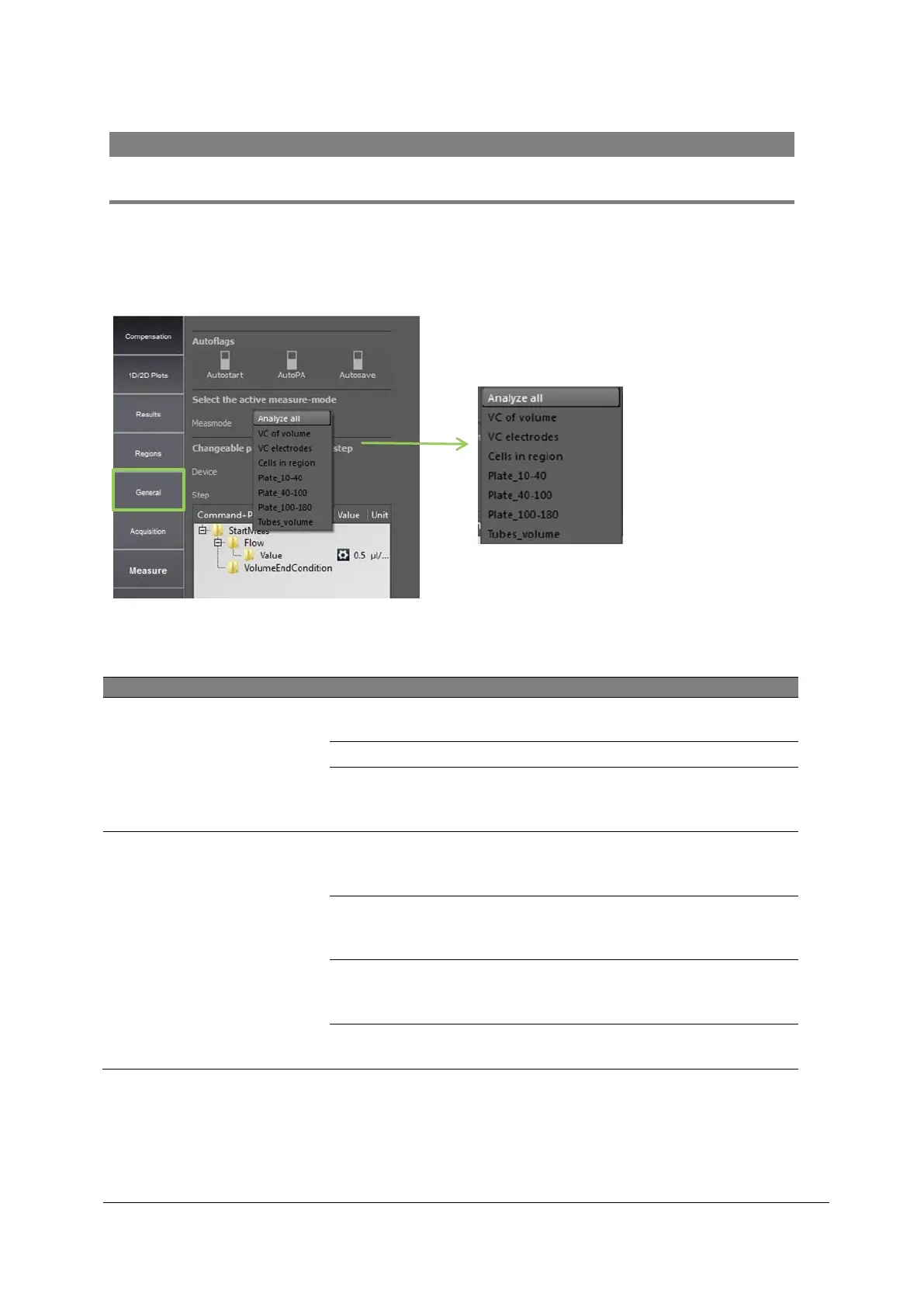
• Select the registry page “MEASURE” and choose one of the default measure
modes.
Figure 7: Measure mode selection
Sample Port
(manual mode)
runs sample until its levels reaches the
stop electrode
a sample volume can be pre-selected
START and STOP electrodes of the
sample port are used to analyse a sample
volume of 200 µl
Autoloader tray
(automate mode)
a volume between 10µl and 40µl can be
pre-selected for the measurement from a
96-Well-Plate
a volume between 40µl and 100µl can be
pre-selected for the measurement from a
96-Well-Plate
a volume between 100µl and 180µl can
be pre-selected for the measurement from
a 96-Well-Plate
a volume can be pre-selected for the
measurement from tubes
Table 1: Definitions of different measurement modes (measmode)
The measure modes "Analyse all", "VC with volume" and "VC electrodes" deliver samples
from the Sample Port (manual mode). When operating the Robby 6 Autoloading Station
optimization of instrument settings (Gain values, definition of regions, etc.) can be done



 To Next Page