6 Measurement with the Autoloading Station
CyFlow
™
Robby 6 Autoloading Station | Operating Manual | September 2020 | Revision 002
6.3 Changing a rack
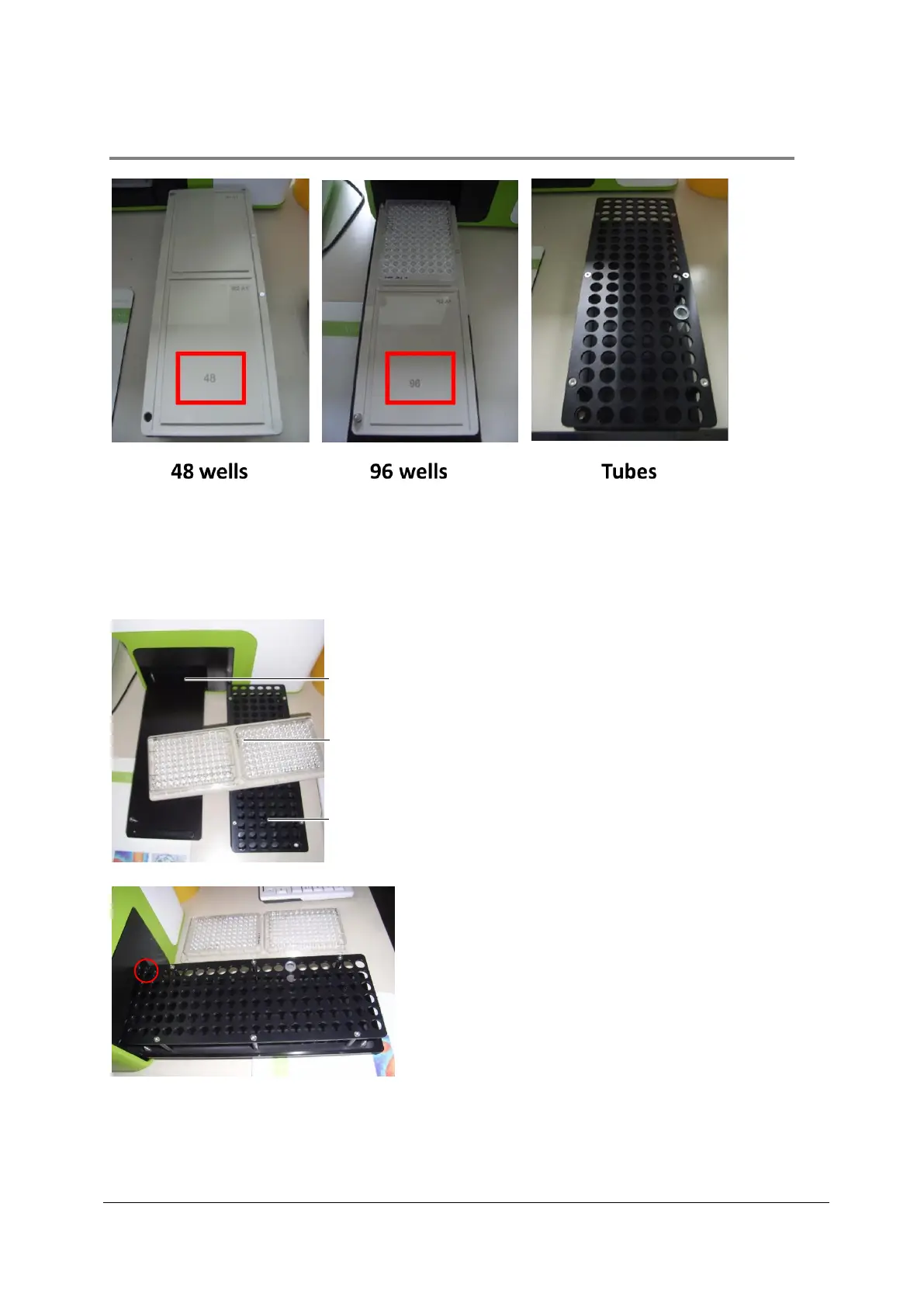
Three rack types are available:
• Rack for 2 x 48 well plates (see picture “48 wells”)
• Rack for 2 x 96 well plates (see picture “96 wells”)
• Tube rack (see picture “Tubes”)
To change a rack to another rack, pull out
the tray slide from the autoloader tray and
carefully remove the rack from the the top
of the tray slide, so that you see the bare-
naked tray slide top.
Attach the tube rack to the tray slide that
the notches on the tray slide fit the small
holes on the side of the rack. Position A1
(marked with “A1”) of the tube rack is in
the upper right position.
Push the tray slide completely into the
autoloader tray.



 To Next Page