16. Start the analysis, by pressing “Start”.
The CyFlow
™
Robby 6 Autoloading Station will immediately move to the first selected tray
position to take-up the defined sample volume of the first sample. Next in sequence, the
sample will be forwarded towards the flow cuvette. Following a fast forward, the sample
delivery speed will lower to the selected value. A short pre-run phase of 5 µl sample will
stabilize the sample flow. During pre-run phase data will be visible on screen but will be
deleted with entry into the regular run phase.The predefined sample volume will be
analysed and at the end of the analysis data are automatically saved in .fcs format to the
following destination: C:\Cube_15\data or the pre-selected folder.
The file name is formed by: [date]_[time]_[file-index]_[customer-given name]
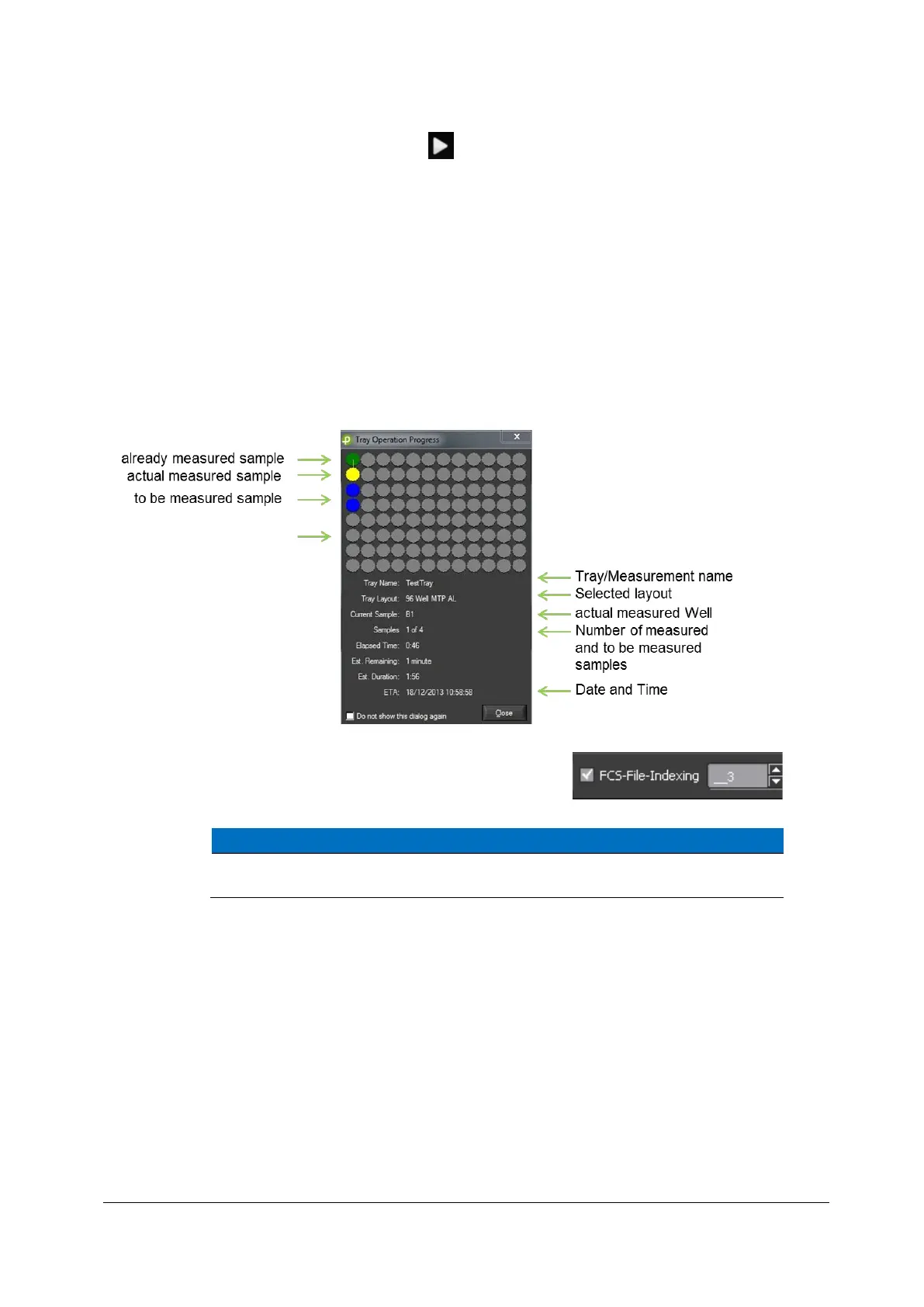
Information about the process will be shown in the “Tray Operation Process” window.
After each sample analysis, a cleaning step to wash the sample needle is
initiated before proceeding with the next sample.



 To Next Page