Quick Guides to Using SP-Series
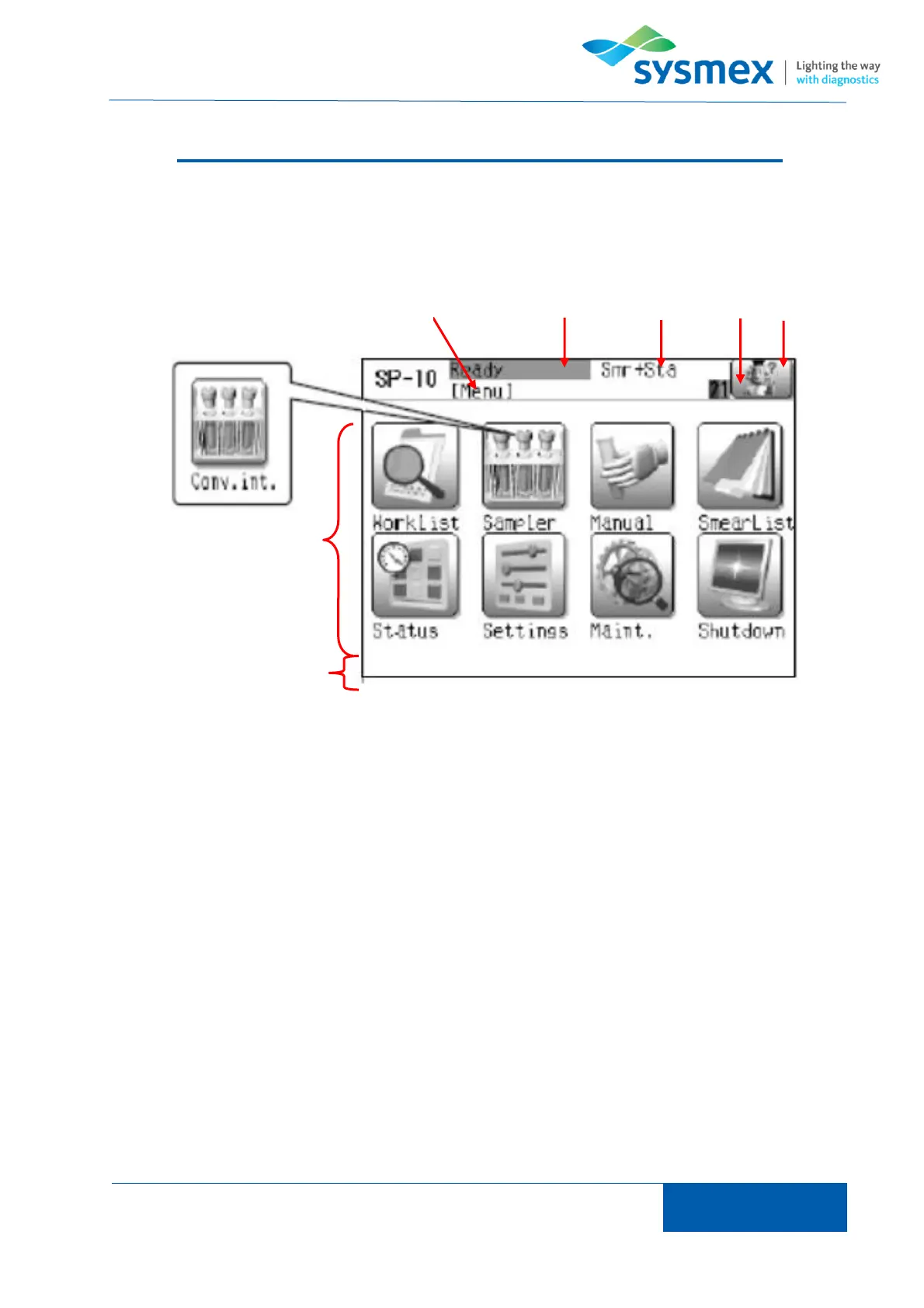
Introduction to LCD Screen
1. Menu name - Displays name of menu currently selected
2. Status – Displays current status of analyzer.
[Ready] Analyzer ready and not currently in use.
[Asp. Ready] Analyzer currently in use and ready to aspirate next sample.
[Running] Analyzer currently making a smear.
[Not ready] Analyzer not ready due to error.
3. Default setting – Shows default setting for analyzer.
[Smr + Sta] Smear and stain
[Smr] Smear
[Sta] Stain
4. Slide holder status - Shows the current status of the slide towers [A] and [B]
[Green] Slide supply level ok.
[Red] Side tower empty
5. Help screen – used to deal with alarms and errors.
6. Data processing area – Default screen is main menu.



 To Next Page