SmearList
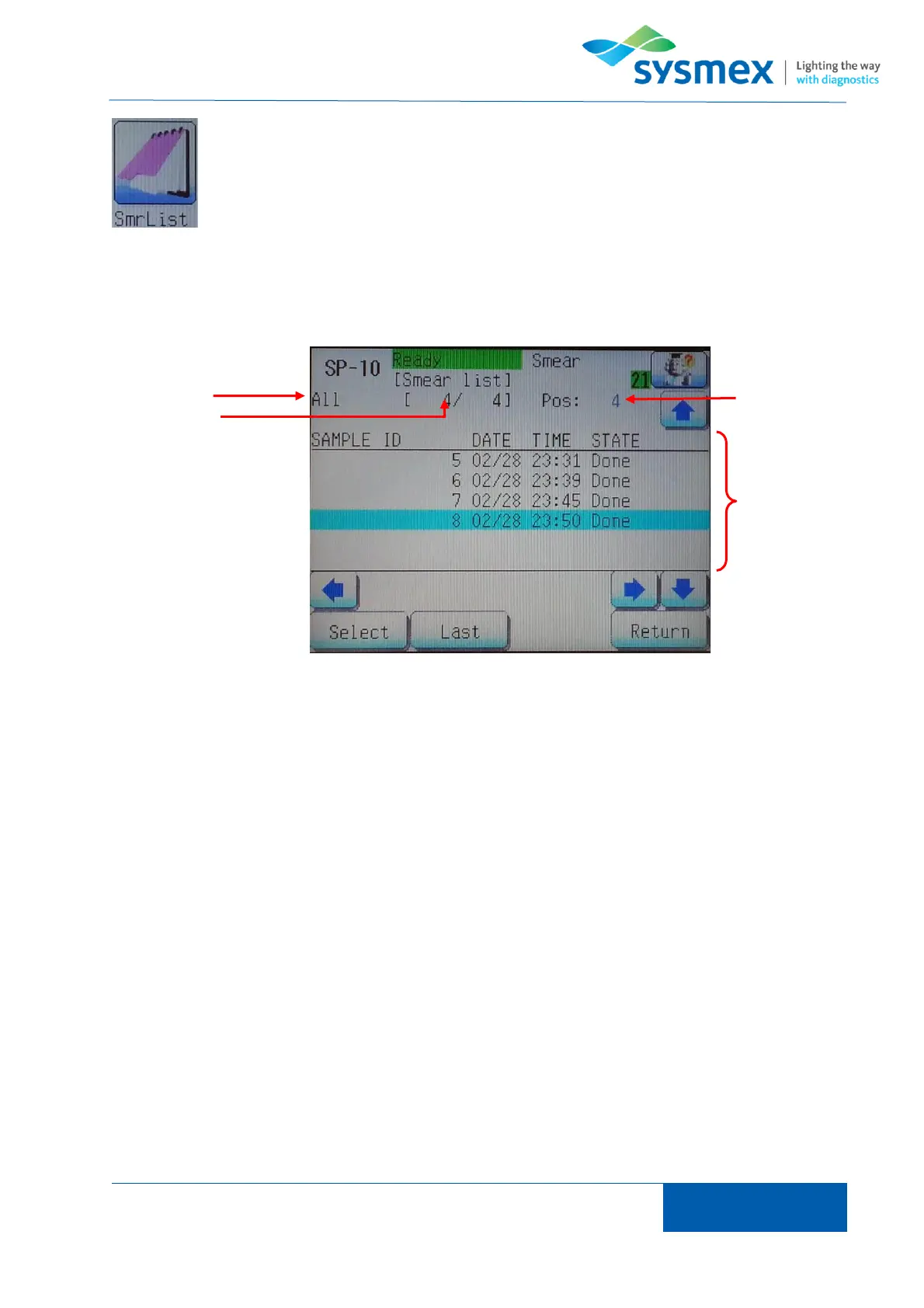
The smear list contains a database of the last 1000 slides to have been processed and are currently
being processed on the SP-series analyzer. Smears in black have been completed; Blue are
currently being prepared and Red an error has occurred during preparation.
1. Filter – Indicates filter that has been set. Filter can be alter by pressing [Select] then
[DispSlct].
[All] All smears within smear list
[Manual] Only manual smears
[Sampler] Only smear processed through sampler
[Err] Displays smears for which an error occurred during processing
[Normal] Displays smears that were processed without error
[Date] Smears processed on a specified date
2. Number of samples – Indicates the number of samples within filter, in the format
‘number/total’.
3. Position – Indicates the number of the sample marked by the curser
4. Main display – Displays further information about each smear



 To Next Page