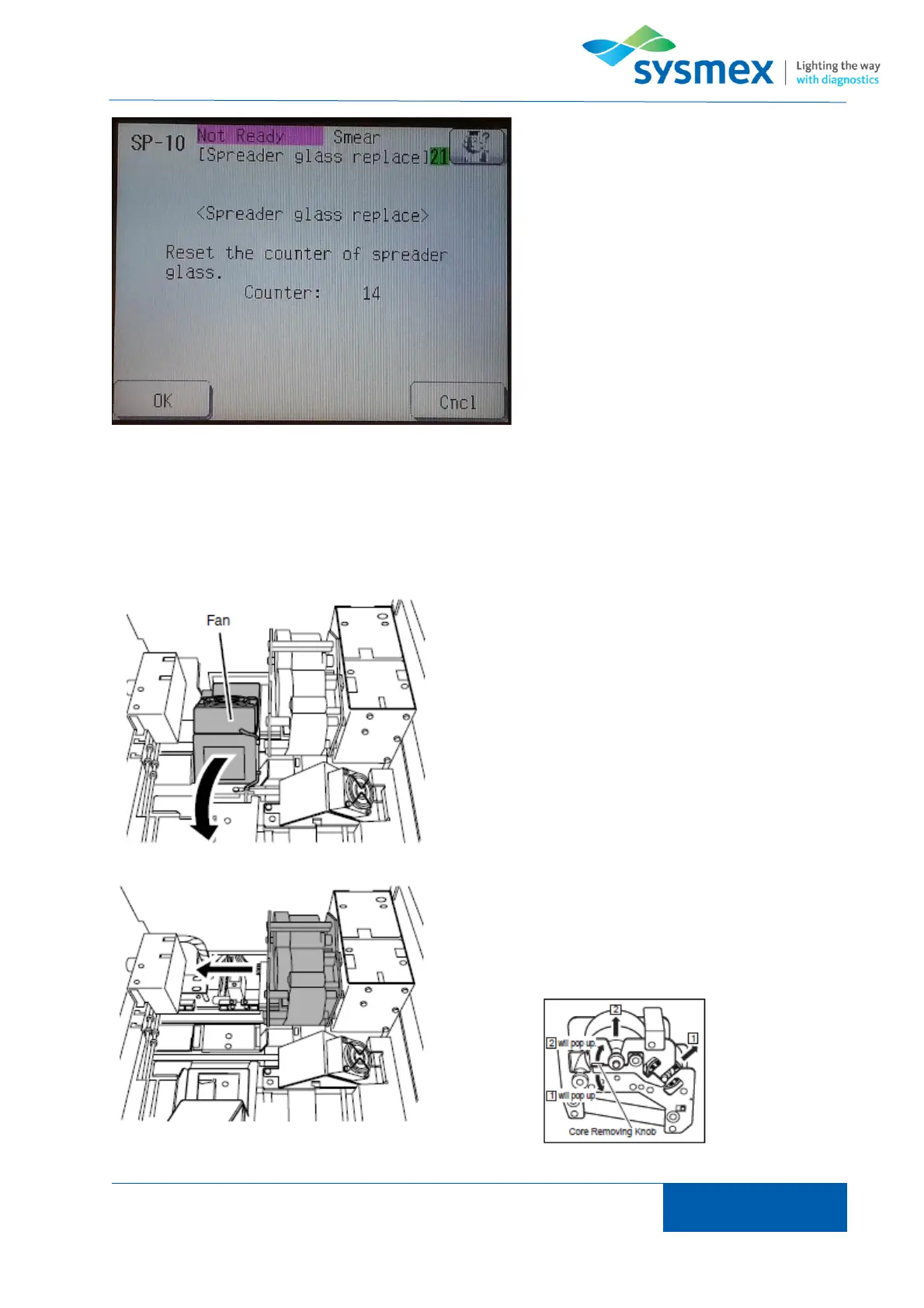
When prompted to ‘Reset the counter of
the spreader glass’ press [OK].
NOTE: Spreader glass counter should only
be reset if spreader glass has been
changed.
Ribbon needs replacing when ‘replace ink ribbon’ or ‘No ink ribbon’ error messages are displayed.
Press [OK] to cancel error. Once smear table cover is unlocked lift cover to gain access to smear
table.
Remove slide tower B then lift smear unit drier to allow
access to ribbon cartridge.
Pull ribbon cartridge gently to the left and remove
from device. Lift both ribbon spindles by pull up or
push down on the core removing ribbon knob and
remove used ribbon from the cores. DO NOT discard
the ribbon cores.



 To Next Page