As Required Maintenance
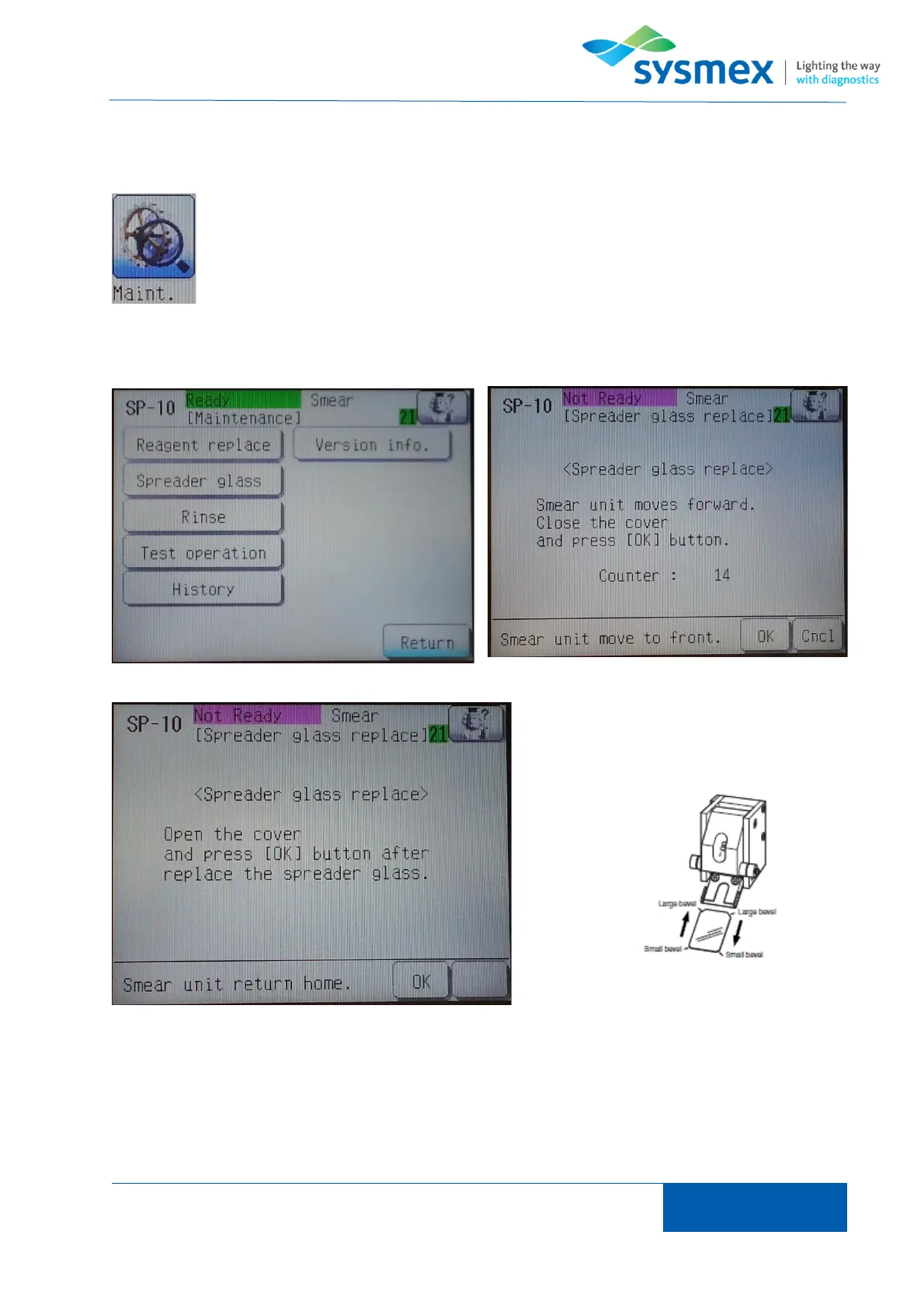
From main menu select [Maint.] and [Spreader glass] to open ‘Spreader glass replacement’ menu.
Press [OK] to move smear unit forward.
Once prompted open smear unit cover and
gently remove spreader glass by pulling
spreader gently forward.
Insert new spreader glass by gently pushing new spreader in place. NOTE: there is no need to
undo any screws. Once spreader has been replaced return press [OK] to return smear unit to home
position.



 To Next Page