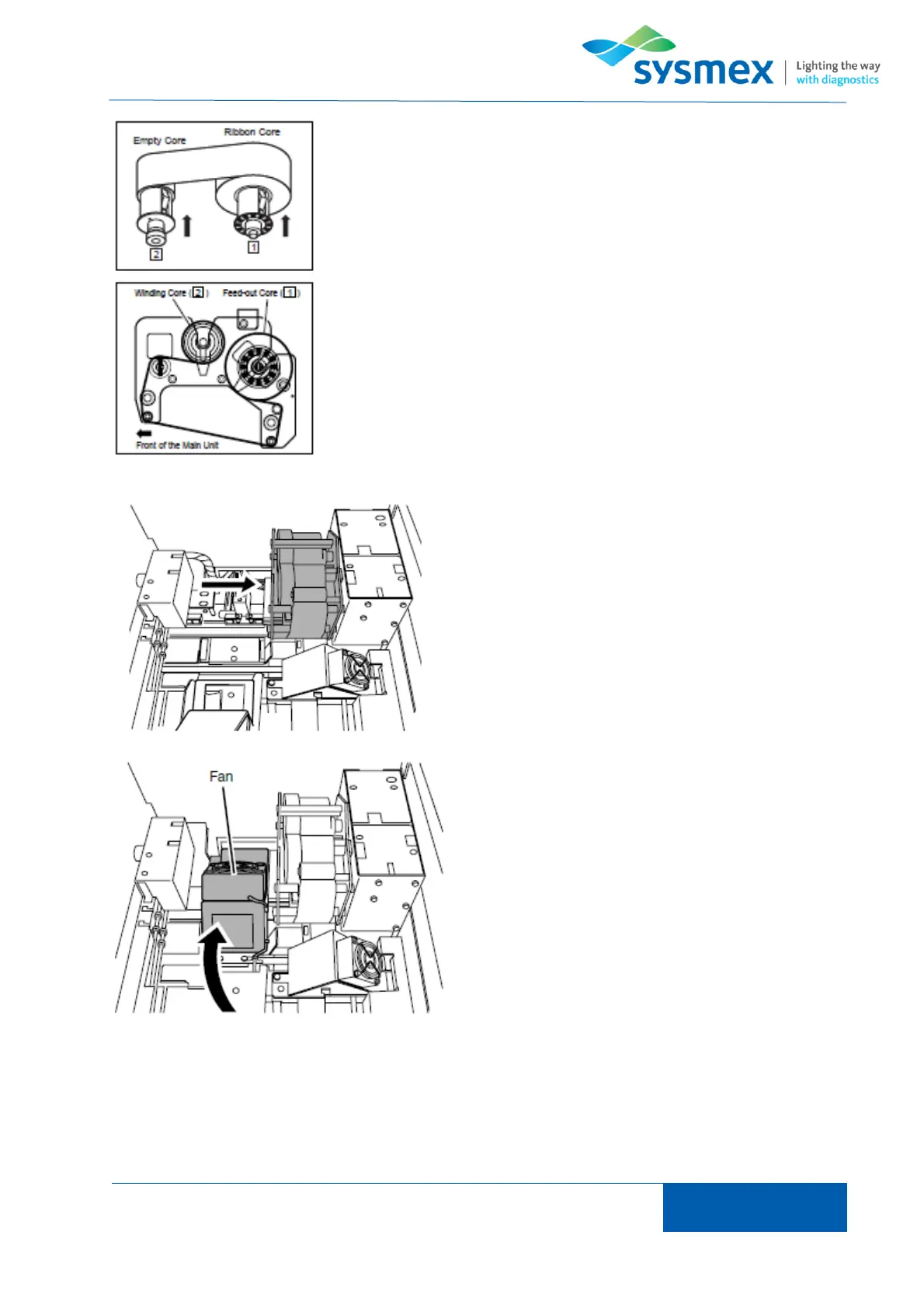
Inset the cores into the new ribbon. Place the new ribbon in the feed
out core [1] and the empty core in the winding position [2].
First install the feed-out core [1] in the ink cartridge then route the
ribbon as shown below and set the empty core in the winding position
[2].
Reinstall ribbon cartridge by aligning ribbon cartridge
holes with printer connectors.
TIP: When ribbon cartridge has been correctly
installed ribbon will be automatically wound on.
Return smear drier unit and slide tower to original
positions.
Close smear unit cover and press [OK].



 To Next Page