Replacing Reagents
If a reagent runs out during analysis one of the following message will appear indicating the reagent
to be changed.
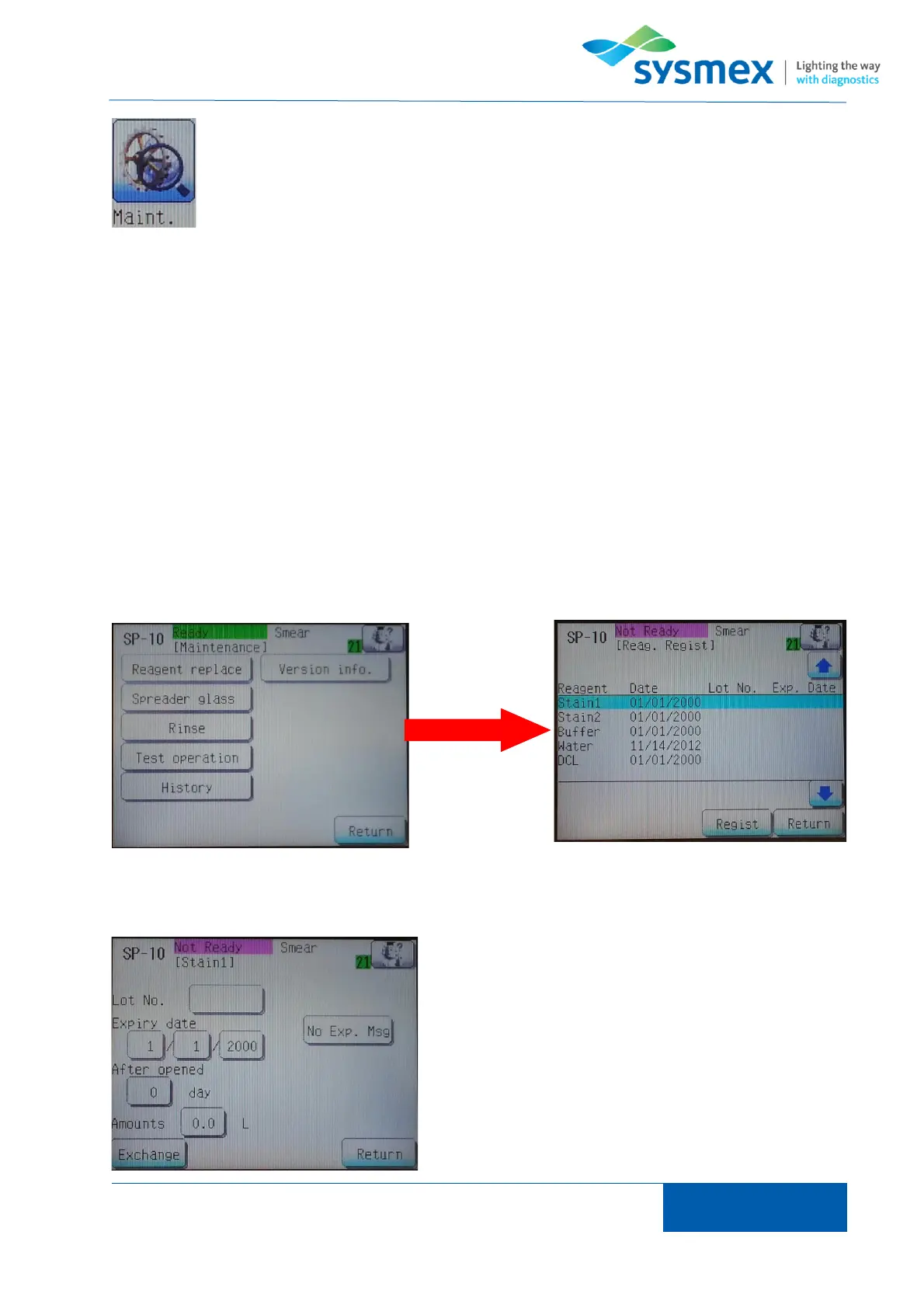
From the main menu press [Maint.] and select [Reagent replace] to open the reagent register
screen.
Using the arrow keys select the reagent to be replaced and press [Regist]. Remove the cap from
the new reagent, unscrew the dispensing set from the empty reagent and place straight into the
new reagent, tightening dispensing set. Enter reagent information (check expiry date),
Reagent details can be entered by selecting info to be
entered e.g. [Lot No.] and using key pad to enter
relevant information.
Press ‘RETURN’ on LCD screen to register reagent.



 To Next Page