3ULRUWRXVLQJWKHWUDQVFHLYHUIRUWKHƉUVWWLPHWKH
battery pack must be fully charged for optimum life
and operation.
Charging Instructions:
*Approximately 8 hours for the A36Plus
CHARGING TIME
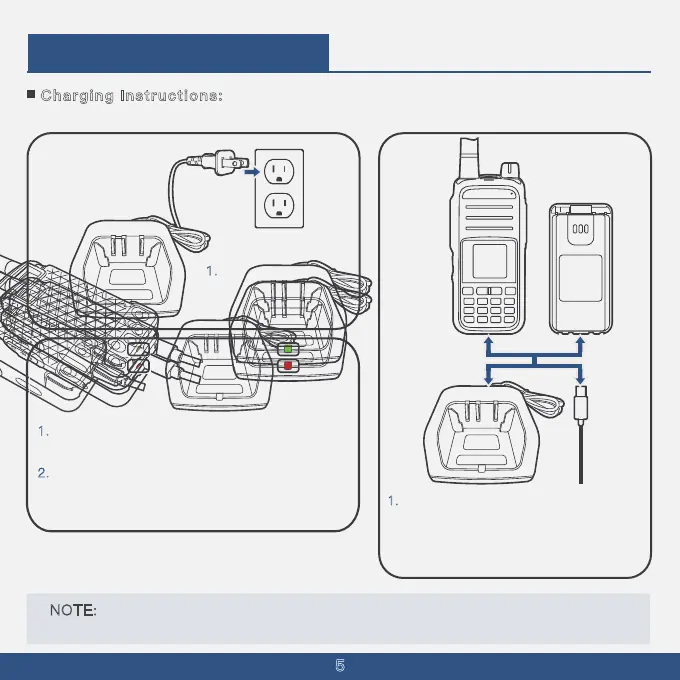
1. Insert the charger
's
power plug into a
5
120V AC outlet.
1
.
1
.
Place the battery or the walkie-talkie
with the battery installed onto the charging
base; alternatively, connect the USB
charging cable to the battery's USB port.
Ensure that the charging indicator light turns red,
signaling that charging has begun.
2
. Charging typically takes about 8 hours. When the
indicator light turns green, it indicates that the
battery is fully charged.
N
OTE: BE SURE to turn OFF the transceiver while charging with the supplied battery charger .
Otherwise, the attached battery pack cannot be charged.



 To Next Page