Transmitting
15
Making a simplex call
WARNING!NEVER transmit for long periods of time. During prolonged transmissions at
high
power or
mid-power, the transceiver radiates heat to protect itself from overheating. The transceiver's
chassis will become hot and may cause a burn.To prevent the transceiver's overheating, the default
setting of the time-out timer function is set to 5 minutes. Be careful when the time-out timer function
is turned OFF orset to a long time period, and you transmit for long periods.
C
AUTION: DO NOT operate the transceiver where heat dissipation will be obstructed if the
transceiver is also being charged with an external power supply. Poor heat dissipation may cause a
burn, warp the casing, or damage the transceiver.
CAUTION: DO NOT transmit without an antenna.
N
OTE: When the transceiver becomes hot, the transceiver's heat protection function gradually reduces
the output power to approximately 2.5 watts, then it stops transmission after that. This is done to
protect the transceiver itself until it can cool down.
N
OTE: You can transmit on only the amateur frequency bands.
I
MPORTANT: Before transmitting, monitor the operating frequency to make sure transmitting won't
cause interference to other stations on the same frequency.
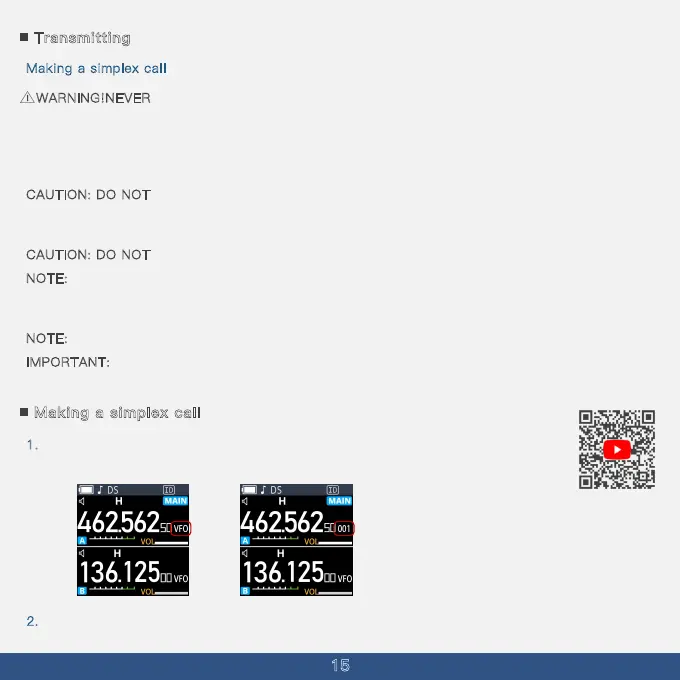
Making a simplex call
1.Use the keypad to enter your operating frequency or hold down the menu key to switch
to channel mode and select your frequency.
2.Press the menu button and choose the menu option 00 to set your transmission power .



 To Next Page