Using the FM Radio Function
11
1
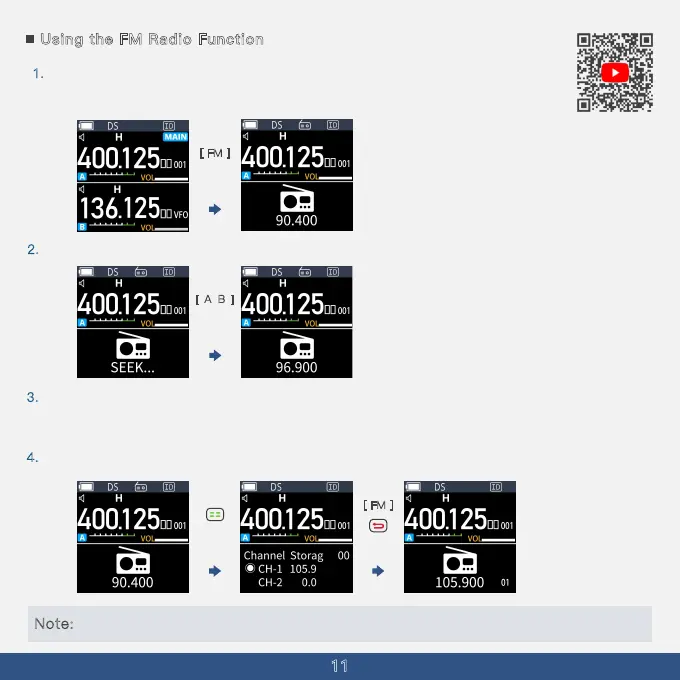
. In standby mode, press the [FM Key] to enter Radio Mode. In this mode, you can use
the up and down keys to change the reception frequency, or directly enter the desired
frequency.
2. Press [AB] briefly to search for the next frequency.
3. In Radio Mode, a short press of the [Menu Key] will save the current frequency as a
channel, while a long press will toggle between the radio's frequency mode and channel
mode.
4
.
[ A
B
]
[ FM ]
Press the [FM Key] again to exit Radio Mode.
[ FM ]
Note: Directly input the frequency using the keypad (frequency range: 65.000~108.000MHz).
Short press
Short press
Short press



 To Next Page