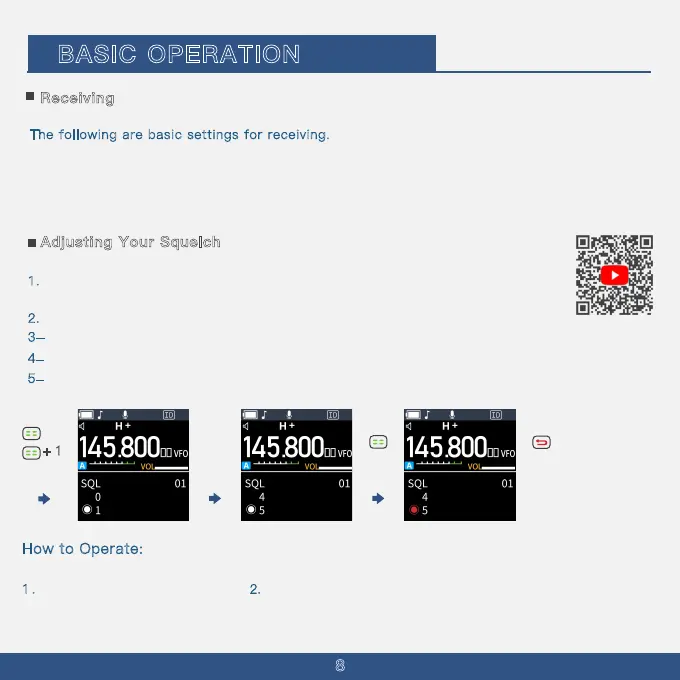
+ 1
Receiving
BASIC OPERATION
2. U
· Selecting the Frequency selecting mode (p. 10)
·
8
Selecting the operating mode (p. 11)
T
he following are basic settings for receiving.
· Adjusting the squelch level (p. 9)
· Selecting the operating band (p. 11)
· Setting a frequency (p. 12)
se the up arrow to navigate to Menu 01
How to Operate:
To adjust the squelch settings
1 . Press the menu button
Adjusting Your Squelch
1
. The noise squelch function allows audio to be heard only when receiving signals that
are above a set threshold.
2
. Higher levels block weaker signals, enabling reception of only stronger signals.
3
. Lower levels allow the reception of weaker signals.
4
. This product's squelch settings range across 10 levels: 00, 01, 02, 03, 04, 05, 06, 07, 08, 09.
5
. In this document, ''Noise Squelch'' is simply referred to as ''Squelch''.



 To Next Page