Lock Function
The lock function prevents accidental frequency changes and unnecessary function access.
L
ock Your Radio
18
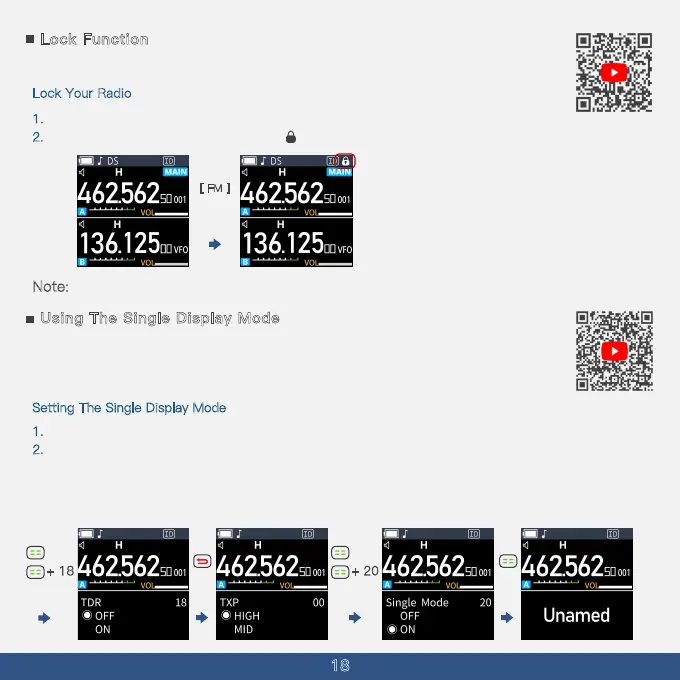
1. Hold down the [FM] key until you hear a voice prompt to toggle the Key Lock function ON or OFF.
N
2
. When activated, the screen displays a '' '' icon
ote: The AutoLock feature can be set in menu 47.
[ FM ]
Using The Single Display Mode
To accommodate users unfamiliar with the dual display mode of the A36Plus, we have
introduced a single display mode in the A36Plus 8W version. Users can now easily switch
between single and dual display modes to suit their preferences and needs.
S
etting The Single Display Mode
1. Disable the dual watch function through menu item 18.
2
. Enable the single display mode through menu item 20 to show only one frequency or channel.
If the dual watch function is not turned off, the single display mode will be ineffective.
If the device name has not been set, it will display ''Unnamed''. (The device name can be set through
menu item 56).
+ 18
+ 20



 To Next Page