USING THE MENU
You can use the Menu to set infrequently changed values or function settings. The transceiver has two
19
types of Menu modes, as shown below.
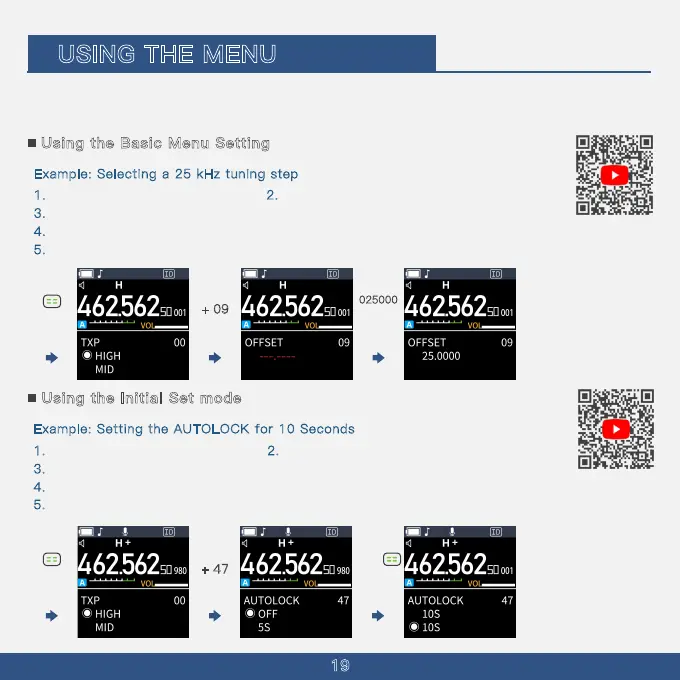
Using the Basic Menu Setting
E
xample: Selecting a 25 kHz tuning step
1
.
Press the Menu button.
2
.
The Menu interface is now
displayed.
3
.
Press the ''Up'' button multiple times until you reach Menu Option 09.
4
.
Manually enter the Offset number on the keypad, inputting 025000
here.
5
. Press the Menu button to save.
+ 09
025000
2
.
E
xample: Setting the AUTOLOCK for 10 Seconds
1. Press the Menu button. The Menu interface is now displayed.
3
. Press the ''UP'' button multiple times until you reach menu option 47.
4
. Continue pressing the ''UP'' button multiple times until you reach the 15-second option.
5
. Press the menu button again to save.
Using the Initial Set mode
+ 47



 To Next Page