16
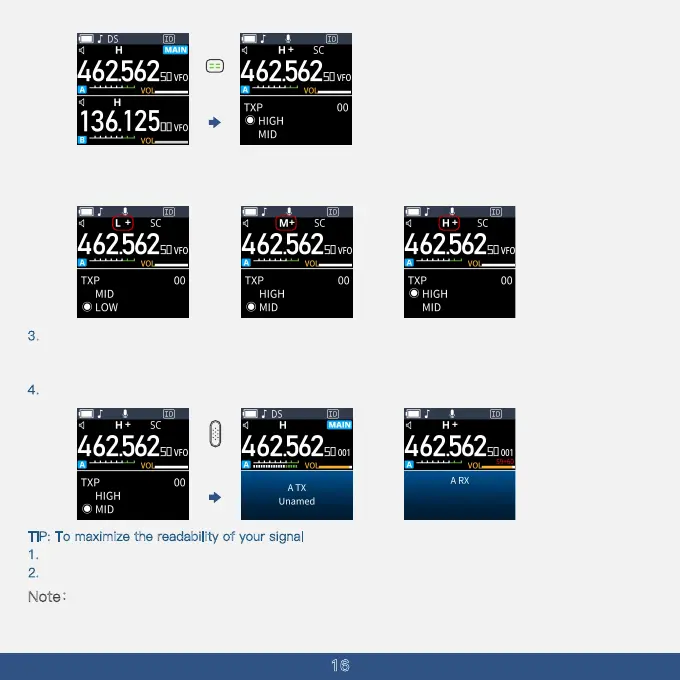
·Note: Select a power level that suits your operating requirements.
·When selecting medium or low power,
''M'' or ''L'' is displayed.
·When selecting high power, the power icon shows ''H''
3
. Hold down the [PTT] button to transmit, and speak into the microphone at your normal voice level.
·The TX/RX indicator lights red.
·The S-meter displays the output power level.
4. Release the [PTT] button to receive signals.
T
IP: To maximize the readability of your signal
1. After pushing [PTT], pause briefly before you start speaking.
2. Hold the microphone 5 to 10 cm (2 to 4 inches) from your mouth and speak normally.
Note:Lower output power during short-range communications may reduce the possibility of
interference to other stations.
· When the TBL12 is attached: Approximately 5 W (High) /2.5 W (Mid) /0.5 W (Low)
Short press



 To Next Page